

MTS Stripe Integration
Accept Online Credit Card & Debit Payments Directly for SuiteCRM Invoices via Stripe
Generate secure Stripe payment links and ‘Pay Now’ buttons on SuiteCRM invoices — automatically recording paid statuses in real-time.
Why Choose MTS Stripe Integration?
- Get paid 3x faster by allowing clients to pay invoices online via Credit Card, Apple Pay, or Google Pay.
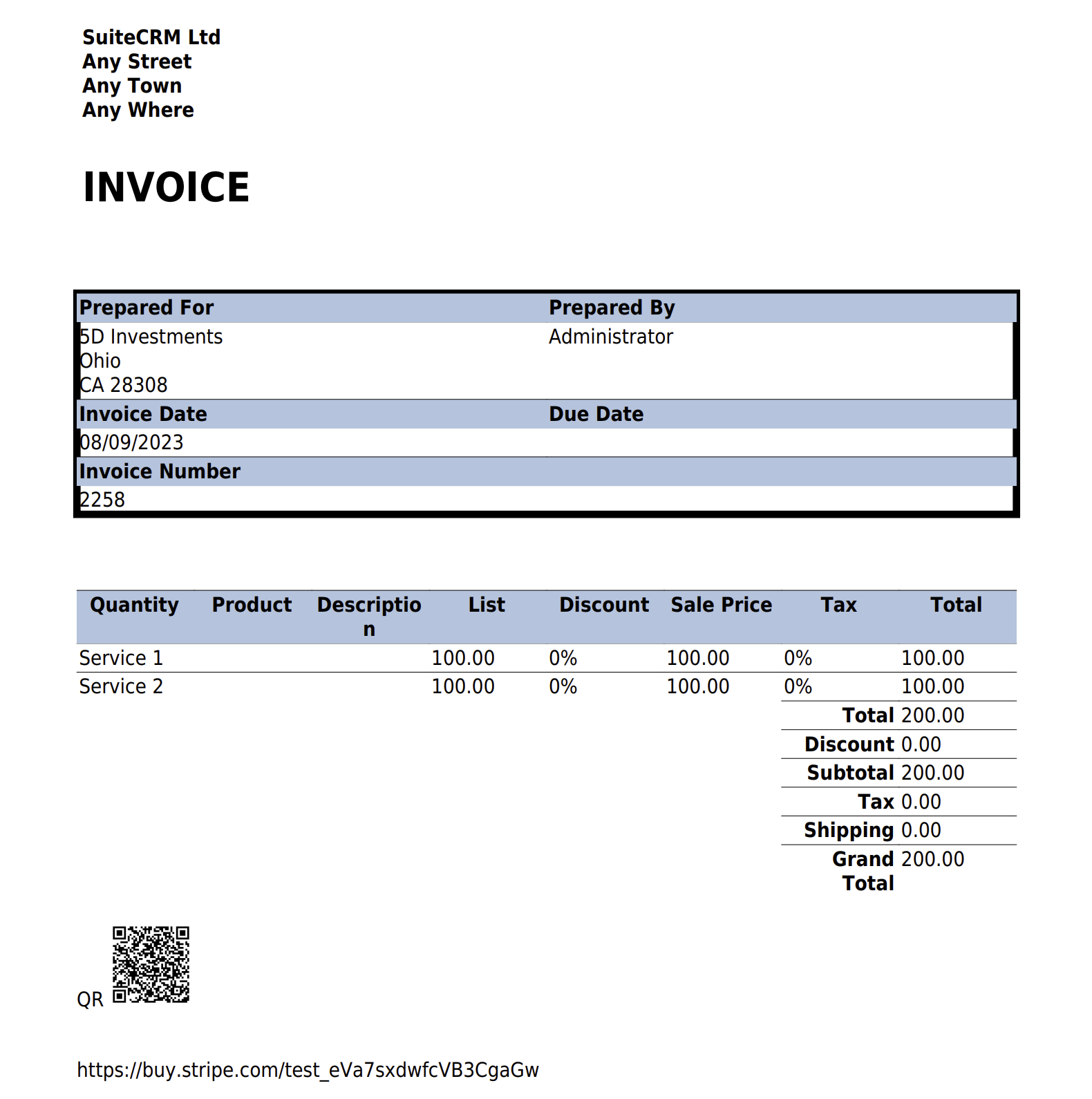
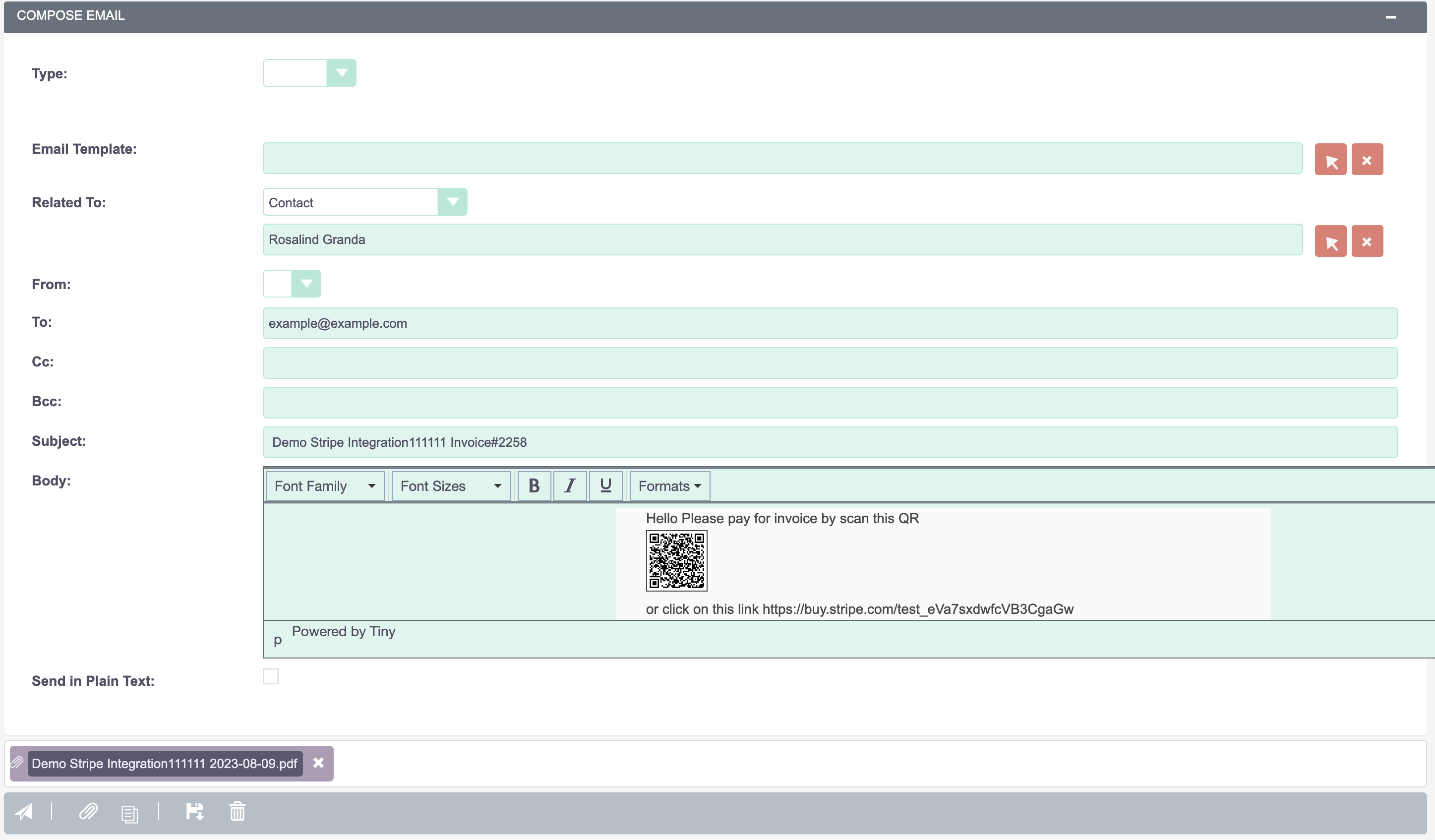
- Include secure ‘Pay Invoice Online’ links in automated email templates and PDF invoices.
- Real-time Stripe Webhook sync updates Invoice status to ‘Paid’ instantly upon successful payment.
- Zero extra transaction fees — connects directly to your own Stripe merchant account.
Key Capabilities & Features
- Stripe Checkout Integration: Secure, mobile-responsive Stripe-hosted checkout supporting 135+ currencies.
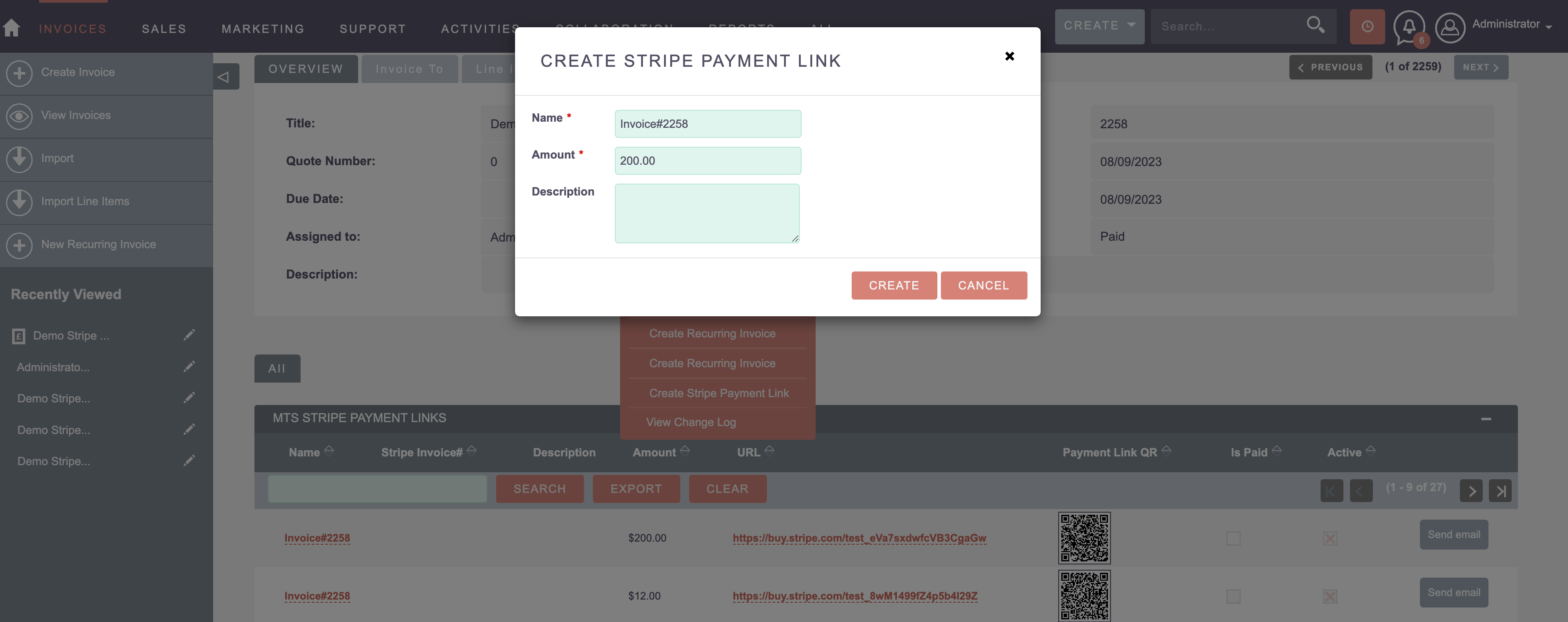
- 1-Click Payment Link Generation: Generate unique, tamper-proof payment URLs for any invoice.
- Automated Webhook Reconciliation: Listens for Stripe payment events and automatically marks invoices as Paid.
- Multi-Payment Method Support: Supports Visa, Mastercard, AMEX, Apple Pay, Google Pay, and European SEPA.
Popular Business Use Cases
- B2B service providers emailing invoices with direct credit card payment checkout links.
- Collecting deposit payments on accepted Quotes and converted Opportunities.
- Automated payment receipts and invoice reconciliation for accounting teams.
Enterprise Grade & Upgrade-Safe: Built strictly following SuiteCRM architecture standards. All modifications are stored safely in upgrade-resistant directories, ensuring smooth transitions across CRM version updates.
📸 Visual Walkthrough & Interface Preview
Take a visual tour of MTS Stripe Integration features, intuitive layouts, and configuration options inside SuiteCRM:
Feature Breakdown for MTS Stripe Integration
Explore the core functionality, productivity tools, and administrative capabilities included with this plugin.
Stripe Checkout Integration
Secure, mobile-responsive Stripe-hosted checkout supporting 135+ currencies.
1-Click Payment Link Generation
Generate unique, tamper-proof payment URLs for any invoice.
Automated Webhook Reconciliation
Listens for Stripe payment events and automatically marks invoices as Paid.
Multi-Payment Method Support
Supports Visa, Mastercard, AMEX, Apple Pay, Google Pay, and European SEPA.
MTS Stripe Integration - Documentation & Setup Guide
1. Prerequisites & System Requirements
- CRM Compatibility: SuiteCRM 7.10 - 7.14 and SuiteCRM 8.0 - 8.7+
- PHP Version: PHP 7.4, 8.0, 8.1, 8.2, or 8.3
- Database: MySQL 5.7+ / MariaDB 10.3+
- Admin Privileges: Full SuiteCRM Administrator account required for installation.
2. Installation via Module Loader
- Download the installation package (
mts-stripe-integration.zip) from your Mien Trung Soft account. - Log in to your SuiteCRM dashboard as an Administrator.
- Navigate to Admin > Module Loader.
- Under Upload Installation Package, click Choose File and select
mts-stripe-integration.zip. - Click Upload.
- Once uploaded, locate the module in the list and click Install.
- Review and accept the license terms, then click Commit.
- After installation completes, navigate to Admin > Repair and run Quick Repair and Rebuild.
3. Configuration & Administration
Go to Admin > MTS Stripe Integration. Enter your Stripe Publishable Key and Secret Key, and register the provided Webhook URL in your Stripe Dashboard.
Configure user role permissions under Admin > Role Management if you wish to restrict module access to specific teams or security groups.
4. Troubleshooting & Support
- Assets not loading? Run Quick Repair and Rebuild and clear your browser cache (Ctrl+F5 or Cmd+Shift+R).
- Permission issues? Ensure correct file permissions on your SuiteCRM server (
chmod -R 755 custom/ modules/). - Need technical assistance? Contact our dedicated support team via your Mien Trung Soft portal or email us with your CRM error logs.
Is MTS Stripe Integration compatible with SuiteCRM 7 and 8?
Does this plugin modify core SuiteCRM files?
Can I install this on development or staging instances?
What is included with technical support?
How do I receive plugin updates?
Related SuiteCRM Plugins

MTS Google Sign-In | Single Sign-On (SSO) for SuiteCRM
Enable secure, one-click Google Workspace login for your SuiteCRM users. Eliminate password fatigue and boost enterprise security instantly.

MTS Telegram Notify
Send real-time alerts for new leads, deal closures, critical support tickets, and task assignments directly to Telegram users and group chats.

MTS Typeform Integration
Connect Typeform forms directly to SuiteCRM — automatically creating or updating Leads, Contacts, and custom module records via real-time webhooks.
Request this plugin
We don't run automated checkout yet — every order goes through a short form so we can confirm your SuiteCRM version, license type, and send a secure payment link.