
MTS Typeform Integration
Real-Time Typeform Survey & Lead Capture Integration for SuiteCRM 7 & 8
Connect Typeform forms directly to SuiteCRM — automatically creating or updating Leads, Contacts, and custom module records via real-time webhooks.
Why Choose MTS Typeform Integration?
- Instant zero-delay lead capture: form responses appear in SuiteCRM in real time.
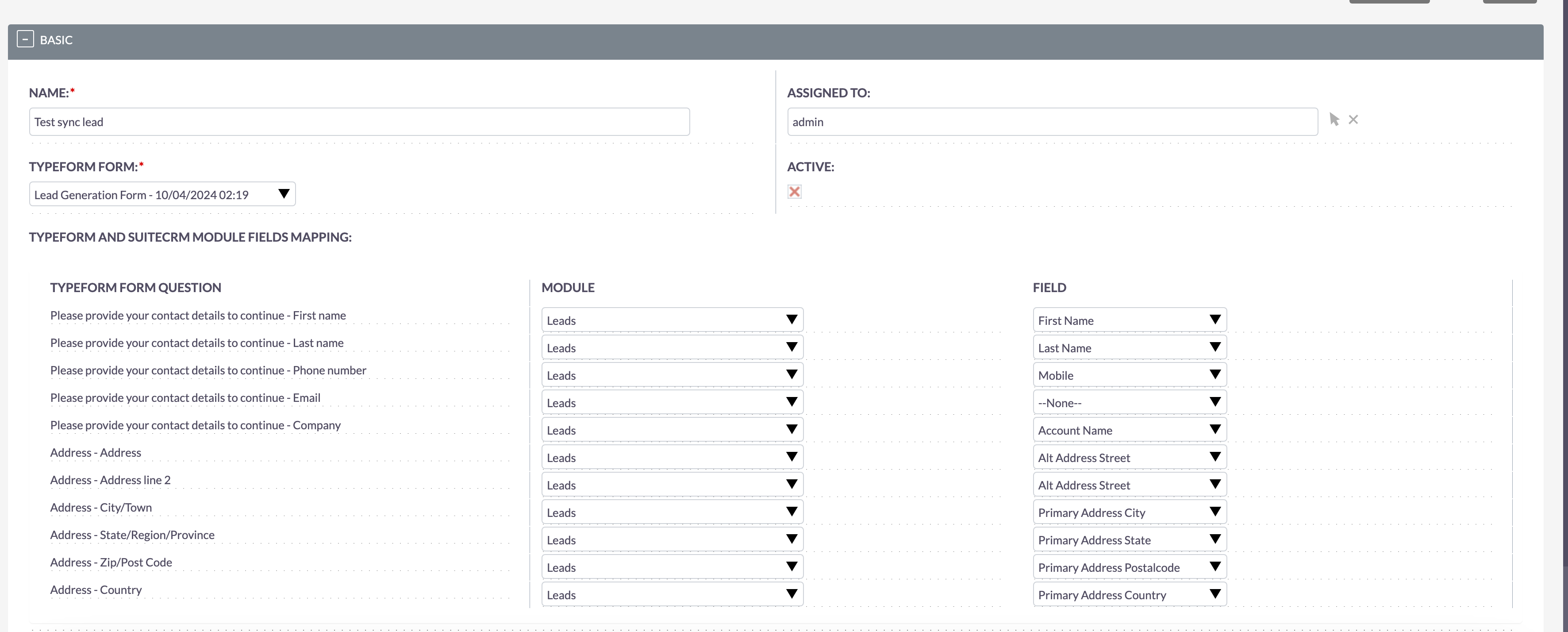
- Visual field mapping interface connecting Typeform question answers to any CRM field.
- Smart deduplication: updates existing contact profiles rather than creating clutter.
- Supports standard modules (Leads, Contacts, Accounts, Cases) and custom Studio modules.
Key Capabilities & Features
- Live Webhook Listener: Processes Typeform submission payloads instantly via secure webhook endpoints.
- Visual Drag-and-Drop Mapping: Map multiple choice, text, email, phone, and rating questions to CRM fields.
- Conditional Record Creation: Create different records depending on user answers or score outcomes.
- Submission Log & Audit: Complete history log of all incoming payloads with retry tools for failed requests.
Popular Business Use Cases
- Capturing interactive lead qualification surveys from Typeform directly into SuiteCRM Leads.
- Syncing customer satisfaction (CSAT) survey responses to Case records.
- Onboarding form submissions creating new Client Accounts and Contacts automatically.
Enterprise Grade & Upgrade-Safe: Built strictly following SuiteCRM architecture standards. All modifications are stored safely in upgrade-resistant directories, ensuring smooth transitions across CRM version updates.
📸 Visual Walkthrough & Interface Preview
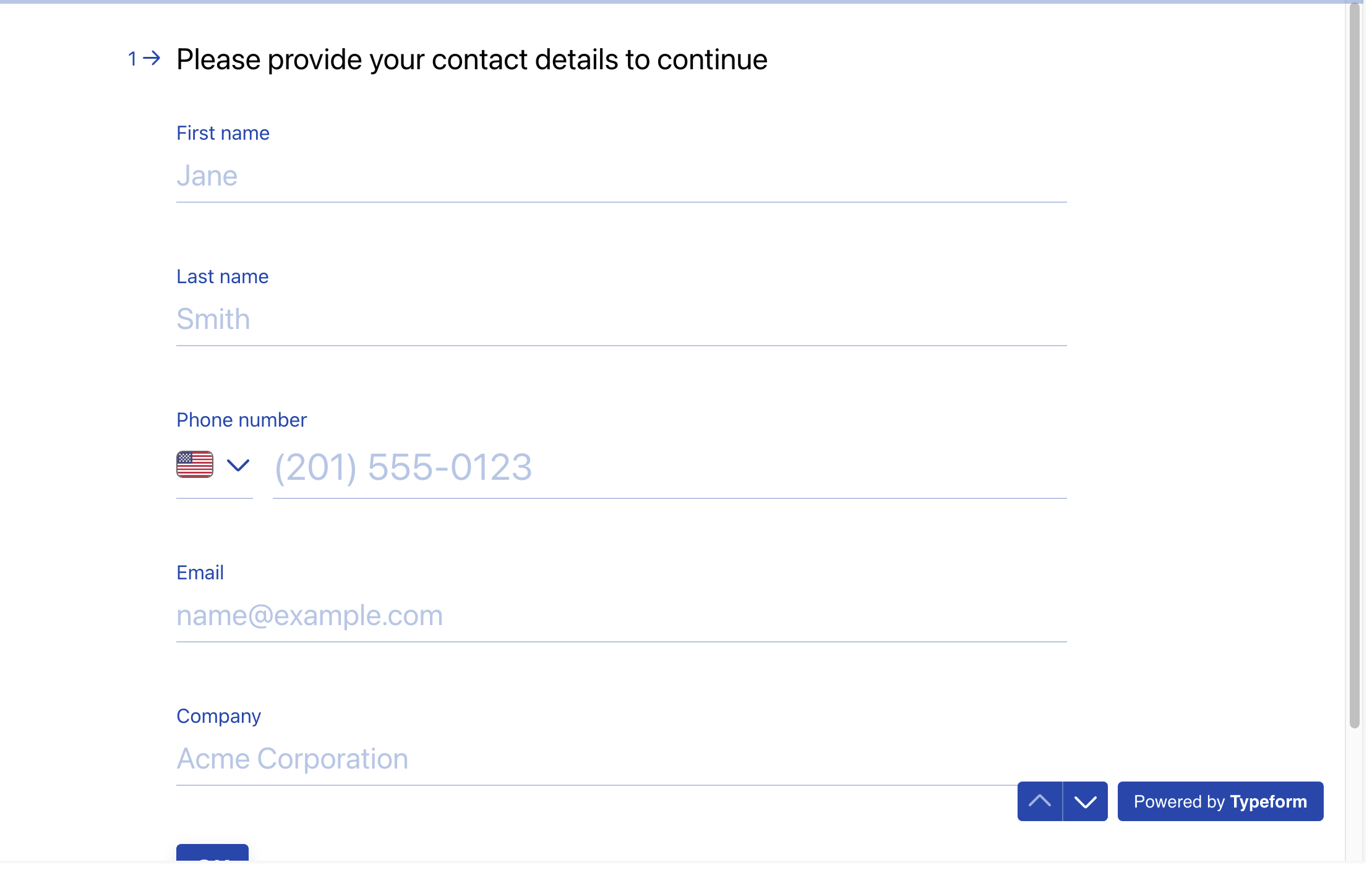
Take a visual tour of MTS Typeform Integration features, intuitive layouts, and configuration options inside SuiteCRM:
Feature Breakdown for MTS Typeform Integration
Explore the core functionality, productivity tools, and administrative capabilities included with this plugin.
Live Webhook Listener
Processes Typeform submission payloads instantly via secure webhook endpoints.Visual Drag-and-Drop Mapping
Map multiple choice, text, email, phone, and rating questions to CRM fields.Conditional Record Creation
Create different records depending on user answers or score outcomes.Submission Log & Audit
Complete history log of all incoming payloads with retry tools for failed requests.MTS Typeform Integration - Documentation & Setup Guide
1. Prerequisites & System Requirements
- CRM Compatibility: SuiteCRM 7.10 - 7.14 and SuiteCRM 8.0 - 8.7+
- PHP Version: PHP 7.4, 8.0, 8.1, 8.2, or 8.3
- Database: MySQL 5.7+ / MariaDB 10.3+
- Admin Privileges: Full SuiteCRM Administrator account required for installation.
2. Installation via Module Loader
- Download the installation package (
mts-typeform-integration.zip) from your Mien Trung Soft account. - Log in to your SuiteCRM dashboard as an Administrator.
- Navigate to Admin > Module Loader.
- Under Upload Installation Package, click Choose File and select
mts-typeform-integration.zip. - Click Upload.
- Once uploaded, locate the module in the list and click Install.
- Review and accept the license terms, then click Commit.
- After installation completes, navigate to Admin > Repair and run Quick Repair and Rebuild.
3. Configuration & Administration
Navigate to Admin > MTS Typeform Integration. Generate your webhook URL, paste it into your Typeform account, and map your form fields. Configure user role permissions under Admin > Role Management if you wish to restrict module access to specific teams or security groups.4. Troubleshooting & Support
- Assets not loading? Run Quick Repair and Rebuild and clear your browser cache (Ctrl+F5 or Cmd+Shift+R).
- Permission issues? Ensure correct file permissions on your SuiteCRM server (
chmod -R 755 custom/ modules/). - Need technical assistance? Contact our dedicated support team via your Mien Trung Soft portal or email us with your CRM error logs.
Is MTS Typeform Integration compatible with SuiteCRM 7 and 8?
Does this plugin modify core SuiteCRM files?
Can I install this on development or staging instances?
What is included with technical support?
How do I receive plugin updates?
Related SuiteCRM Plugins

MTS Telegram Notify
Send real-time alerts for new leads, deal closures, critical support tickets, and task assignments directly to Telegram users and group chats.
MTS ownCloud & Nextcloud Integration
Keep CRM file storage lightweight by linking documents directly to your self-hosted ownCloud or Nextcloud server with drag-and-drop ease.

MTS Stripe Integration
Generate secure Stripe payment links and 'Pay Now' buttons on SuiteCRM invoices — automatically recording paid statuses in real-time.
Request this plugin
We don't run automated checkout yet — every order goes through a short form so we can confirm your SuiteCRM version, license type, and send a secure payment link.