
MTS SuiteCRM 8 Theme Editor
What is a SuiteCRM Theme editor?
A SuiteCRM theme editor lets you restyle SuiteCRM without touching code. The MTS SuiteCRM Theme Editor is a no-code plugin that customizes your SuiteCRM theme — dark mode, corporate brand colors, logo, sidebar controls and responsive UI enhancements — directly from the SuiteCRM 8 admin panel.
How do I change the SuiteCRM theme without coding?
Open the theme editor in SuiteCRM 8, pick your colors and dark-mode options, and save. The SuiteCRM theme updates live across the interface — no template edits, LESS compiling or upgrades to break.
Complete Styling & Dark Mode Suite for SuiteCRM 8 with No-Code Customization
Modernize your SuiteCRM 8 instance with sleek dark mode, custom corporate brand colors, sidebar controls, and responsive UI enhancements.
Why Choose MTS SuiteCRM 8 Theme Editor?
- Unlock true Dark Mode for SuiteCRM 8 to reduce eye strain and modernize the user interface.
- Apply your corporate brand palette across headers, navigation, buttons, and tables.
- Toggle between modern collapsible sidebar menus and top navigation bars.
- Role-based themes: deploy different branding for different security groups.
Key Capabilities & Features
- True Dark Mode & Light Mode: Instant one-click toggle between optimized Dark and Light themes.
- Unlimited Color Customization: Live visual controls for primary, secondary, background, and accent colors.
- Sidebar Menu Controls: Enable or collapse the sleek SuiteCRM 8 sidebar navigation drawer.
- Role-Based Theme Assignment: Assign unique color schemes and logos per Security Group.
Popular Business Use Cases
- Companies upgrading to SuiteCRM 8 seeking a polished, premium corporate appearance.
- Users wanting a native dark theme for long daily CRM working sessions.
- Customizing multi-brand portals for distinct company divisions.
Enterprise Grade & Upgrade-Safe: Built strictly following SuiteCRM architecture standards. All modifications are stored safely in upgrade-resistant directories, ensuring smooth transitions across CRM version updates.
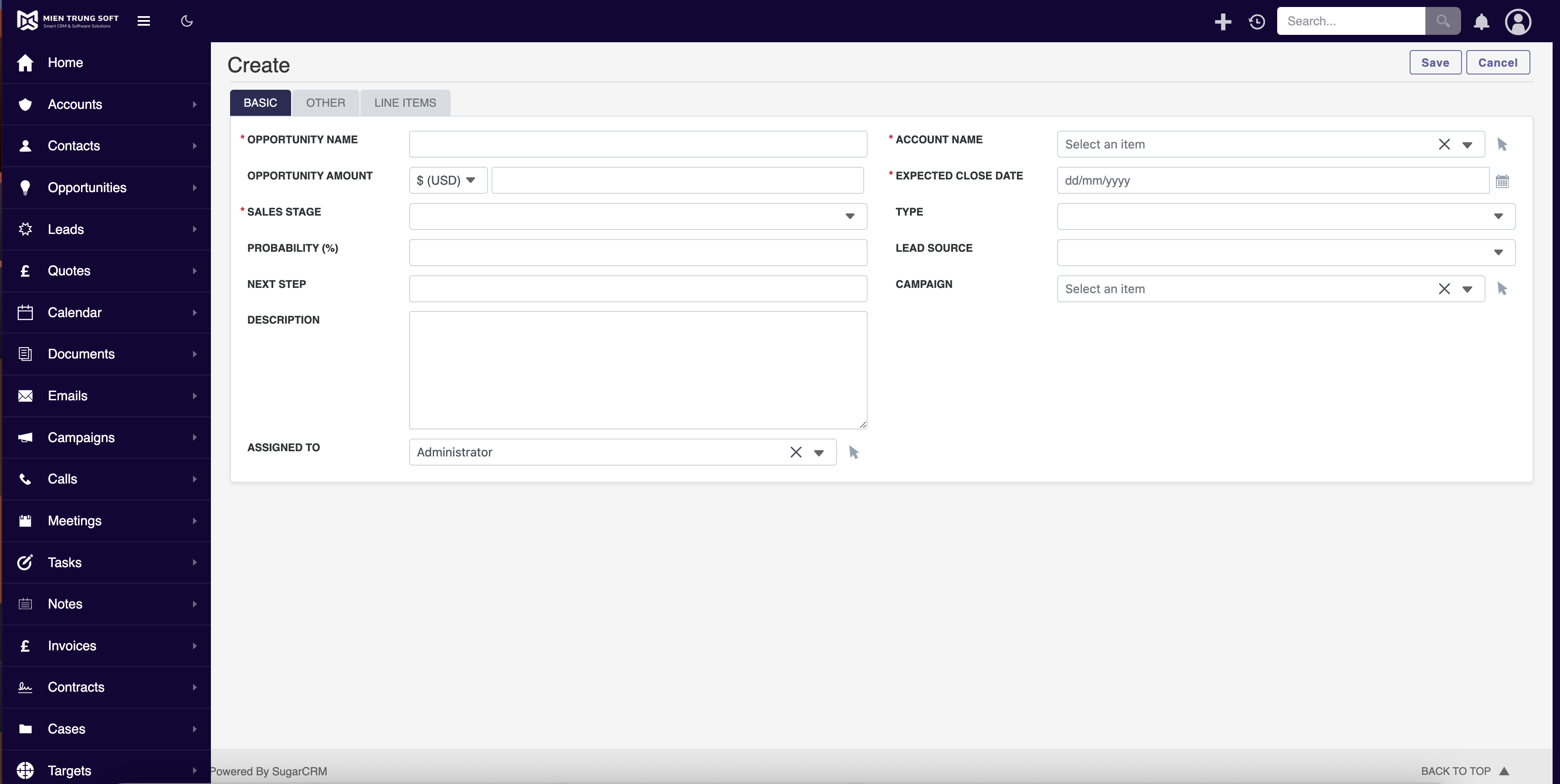
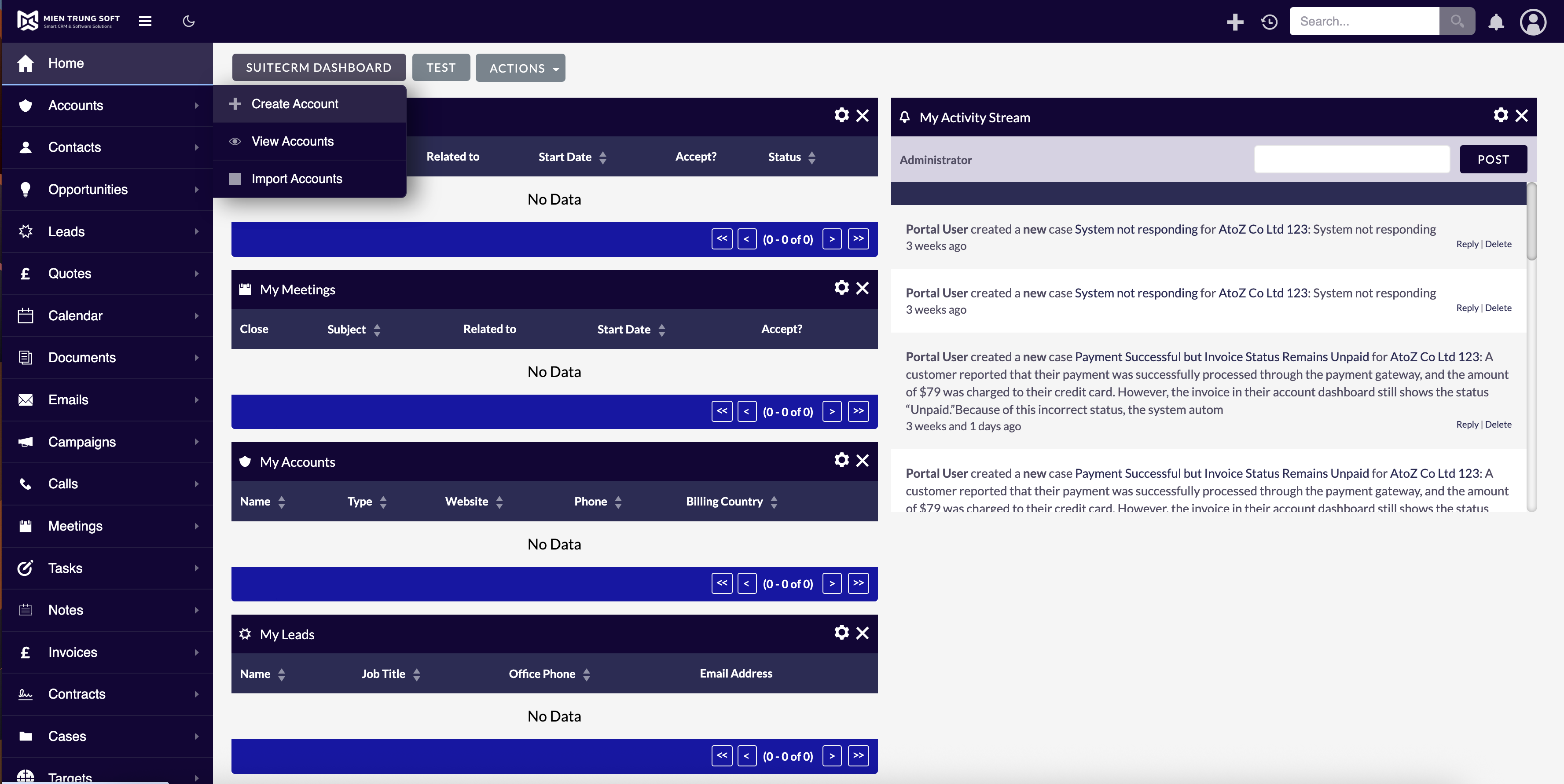
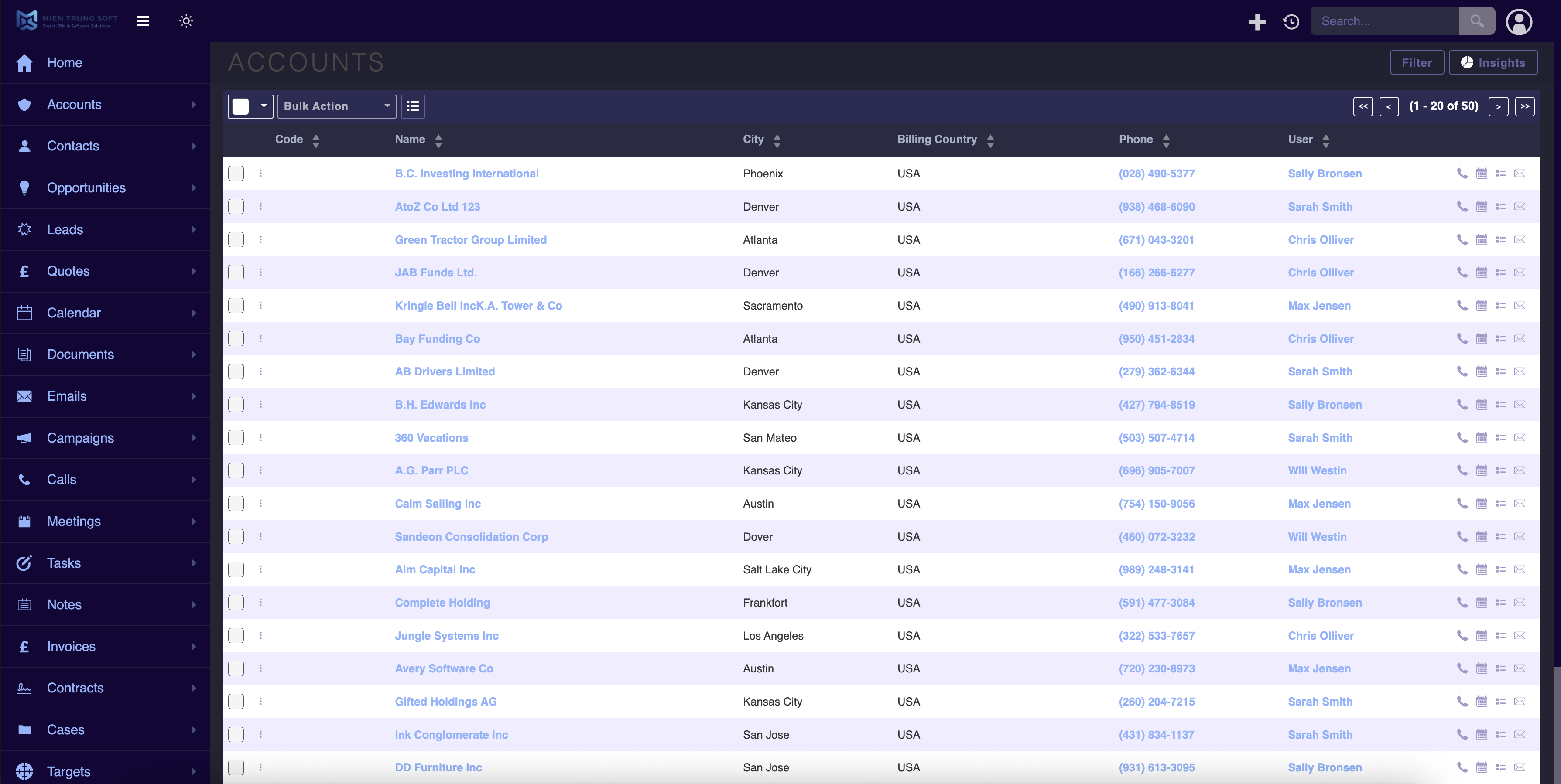
📸 Visual Walkthrough & Interface Preview
Take a visual tour of MTS SuiteCRM 8 Theme Editor features, intuitive layouts, and configuration options inside SuiteCRM:
Feature Breakdown for MTS SuiteCRM 8 Theme Editor
Explore the core functionality, productivity tools, and administrative capabilities included with this plugin.
True Dark Mode & Light Mode
Instant one-click toggle between optimized Dark and Light themes.Unlimited Color Customization
Live visual controls for primary, secondary, background, and accent colors.Sidebar Menu Controls
Enable or collapse the sleek SuiteCRM 8 sidebar navigation drawer.Role-Based Theme Assignment
Assign unique color schemes and logos per Security Group.MTS SuiteCRM 8 Theme Editor - Documentation & Setup Guide
1. Prerequisites & System Requirements
- CRM Compatibility: SuiteCRM 8.0 - 8.7+
- PHP Version: PHP 7.4, 8.0, 8.1, 8.2, or 8.3
- Database: MySQL 5.7+ / MariaDB 10.3+
- Admin Privileges: Full SuiteCRM Administrator account required for installation.
2. Installation via Module Loader
- Download the installation package (
suitecrm-8-theme-editor.zip) from your Mien Trung Soft account. - Log in to your SuiteCRM dashboard as an Administrator.
- Navigate to Admin > Module Loader.
- Under Upload Installation Package, click Choose File and select
suitecrm-8-theme-editor.zip. - Click Upload.
- Once uploaded, locate the module in the list and click Install.
- Review and accept the license terms, then click Commit.
- After installation completes, navigate to Admin > Repair and run Quick Repair and Rebuild.
3. Configuration & Administration
Go to Admin > MTS Theme Editor (v8). Choose a preset or customize colors, toggle Dark Mode options, and click Save & Apply. Configure user role permissions under Admin > Role Management if you wish to restrict module access to specific teams or security groups.4. Troubleshooting & Support
- Assets not loading? Run Quick Repair and Rebuild and clear your browser cache (Ctrl+F5 or Cmd+Shift+R).
- Permission issues? Ensure correct file permissions on your SuiteCRM server (
chmod -R 755 custom/ modules/). - Need technical assistance? Contact our dedicated support team via your Mien Trung Soft portal or email us with your CRM error logs.
What is a SuiteCRM theme editor?
Can I add dark mode to SuiteCRM?
Is MTS SuiteCRM 8 Theme Editor compatible with SuiteCRM 8?
Does this plugin modify core SuiteCRM files?
Can I install this on development or staging instances?
What is included with technical support?
How do I receive plugin updates?
Related SuiteCRM Plugins
MTS Cleaner
Boost SuiteCRM speed and reduce database size by scanning, purging, or safely archiving soft-deleted records across all modules.
SuiteCRM Group Layout: Custom Views per Security Group in SuiteCRM 8
Is your CRM cluttered with unnecessary fields, irrelevant tabs, or complex list columns that confuse your team? A generic interface rarely fits a growing organization. Sales representatives need quick access to lead stages, while managers require high-level reporting fields. Showing the exact same form layout to every department leads to data errors and lower CRM […]
MTS Code Generator
Auto-generate professional, sequential reference numbers (e.g. INV-2026-001, LEAD-00892) across any standard or custom module.
Request this plugin
We don't run automated checkout yet — every order goes through a short form so we can confirm your SuiteCRM version, license type, and send a secure payment link.