

MTS Opportunity Line Items
Manage Products, Services, Discounts, and Taxes Directly on SuiteCRM Opportunities
Bridge the gap between Opportunities and Quotes by adding full line-item product tracking, automated totals, and 1-click quote conversion.
Why Choose MTS Opportunity Line Items?
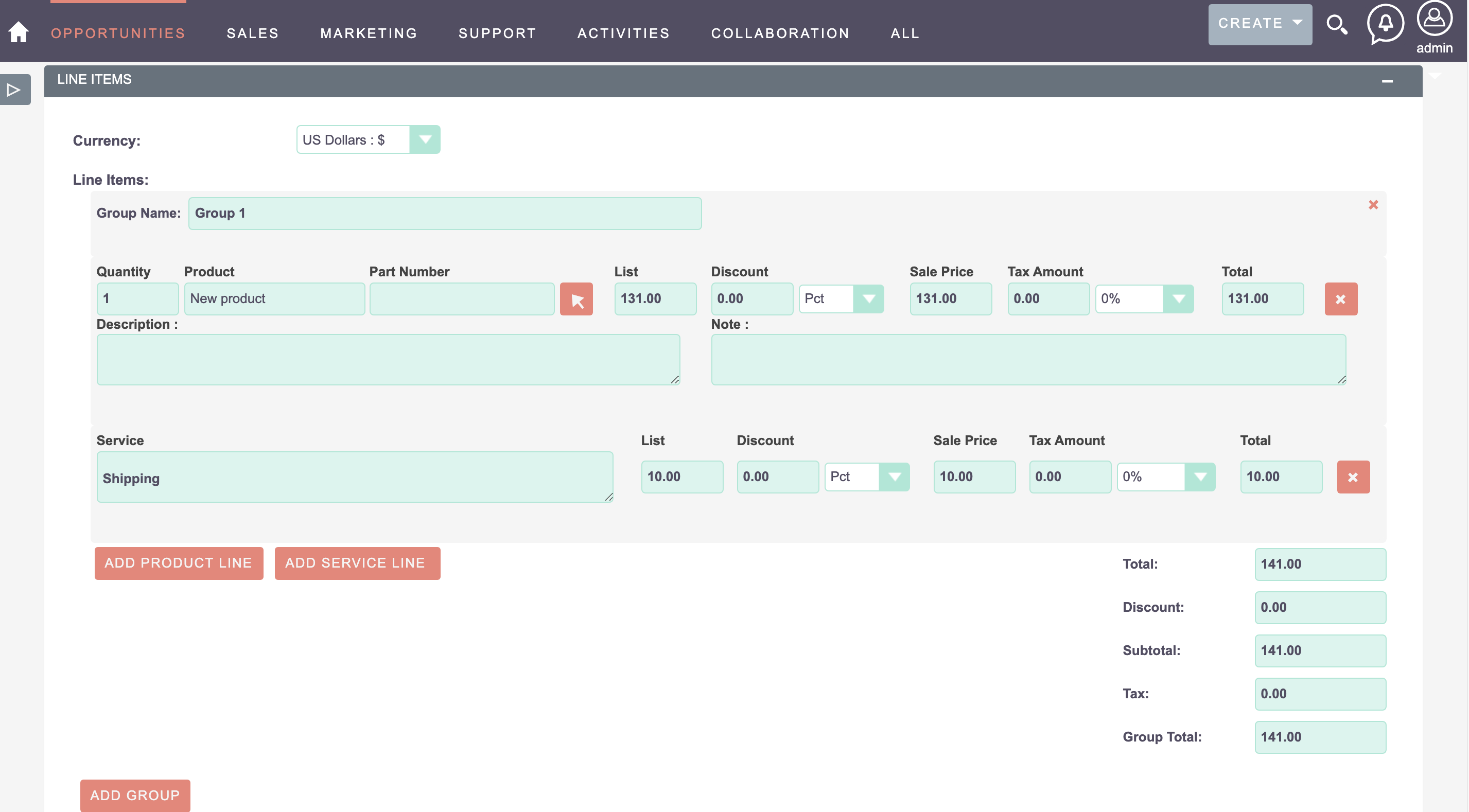
- Add multiple products, recurring services, and bundles directly inside the Opportunity view.
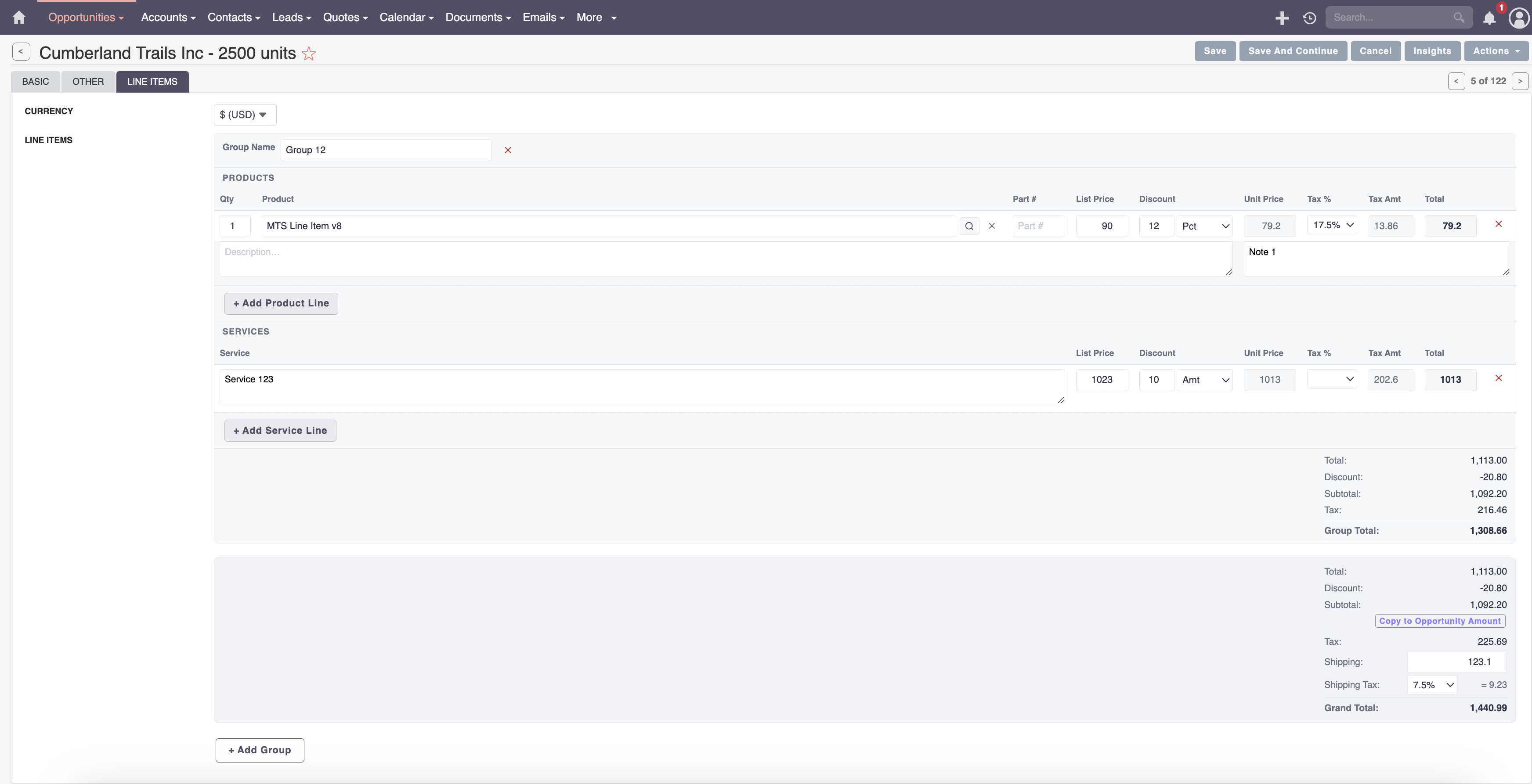
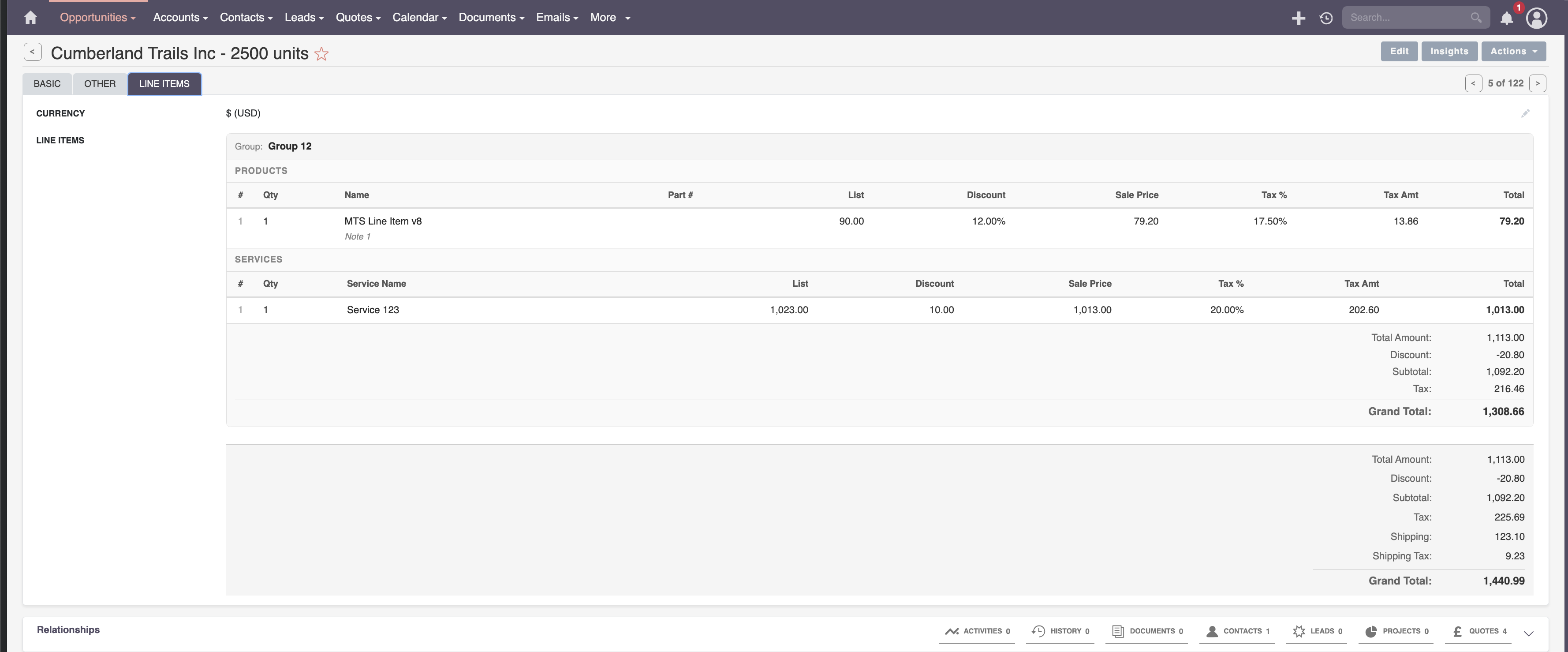
- Automatic calculation of subtotal, line discounts, tax rates, and grand total.
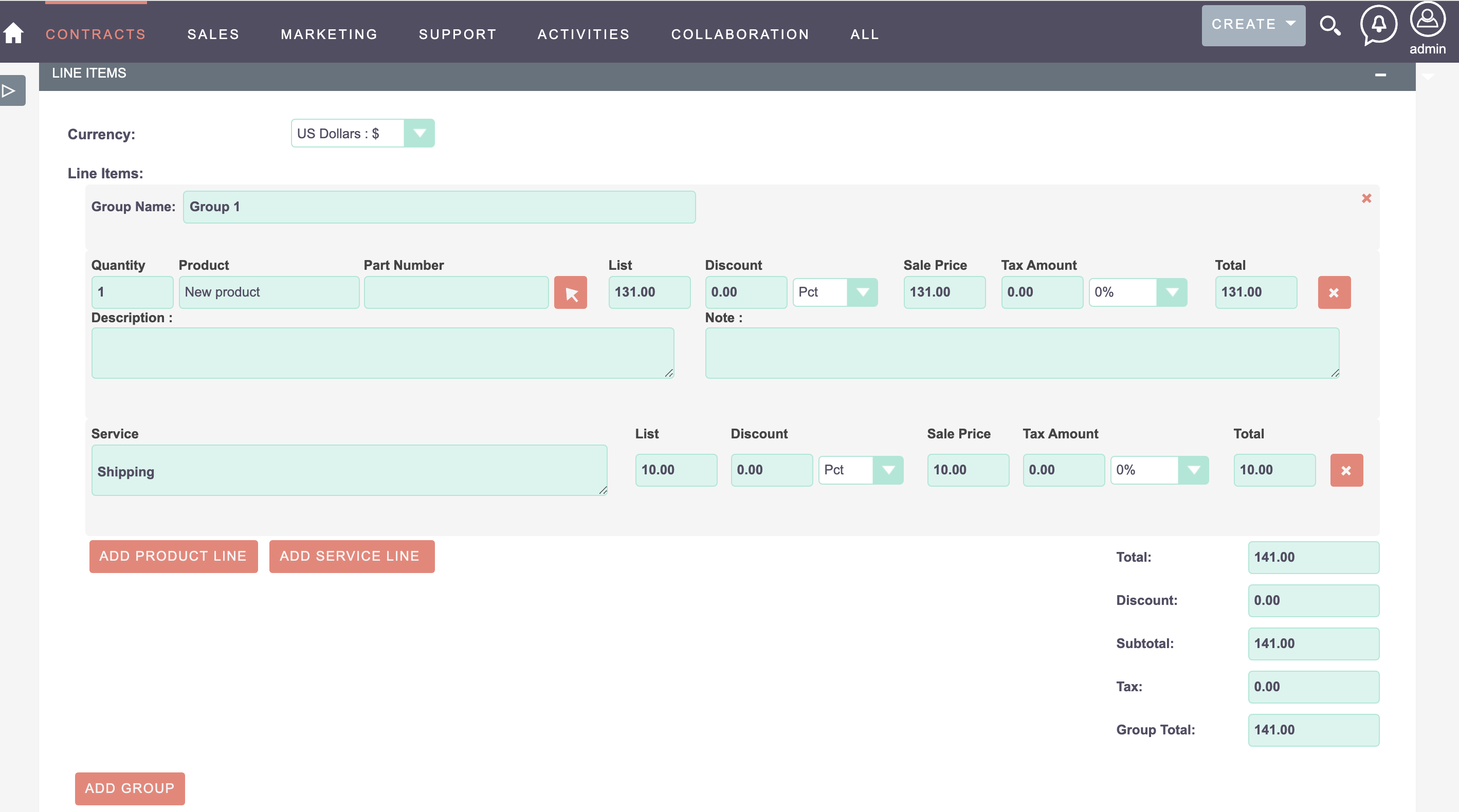
- Convert Opportunities into Quotes, Invoices, or Contracts with a single click.
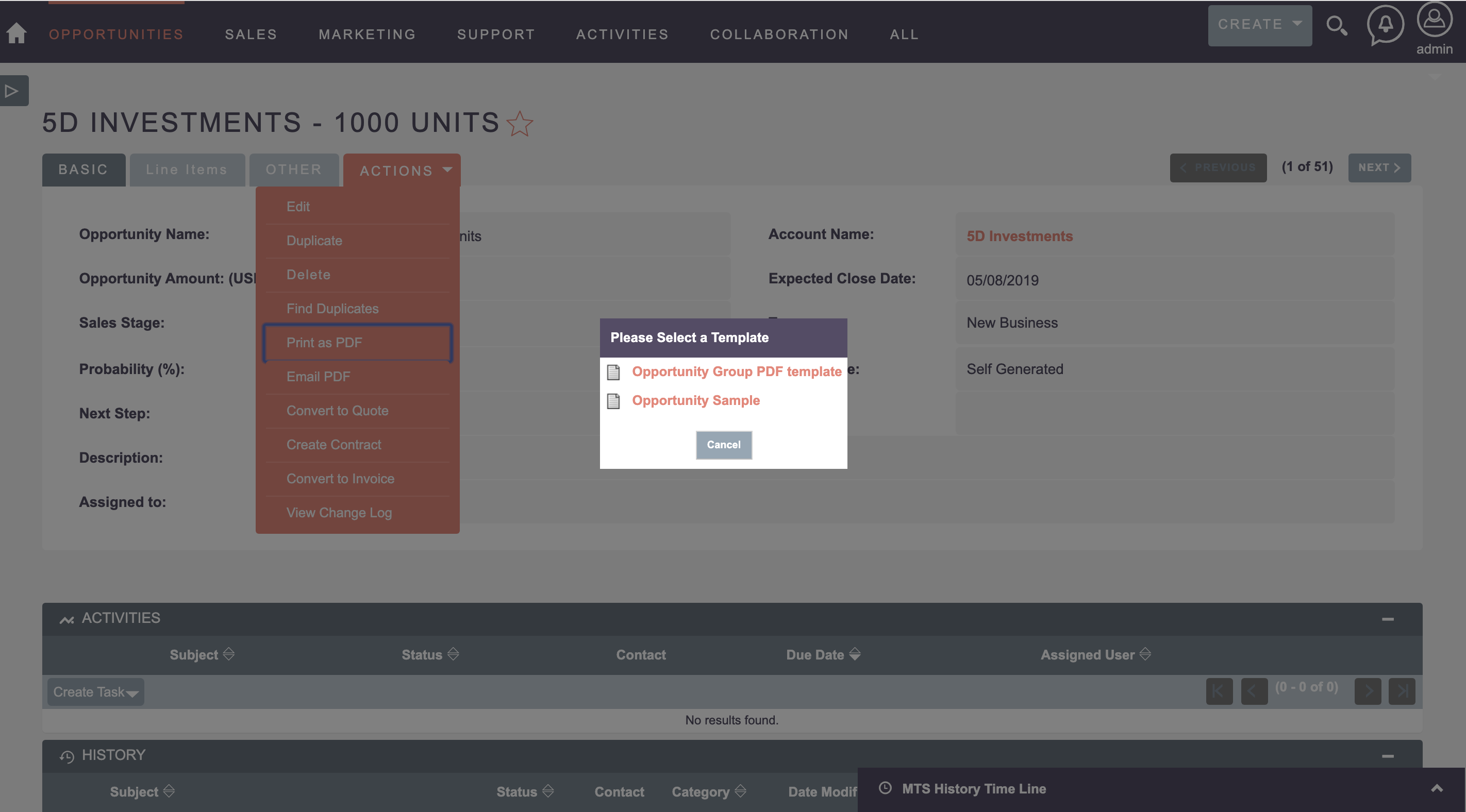
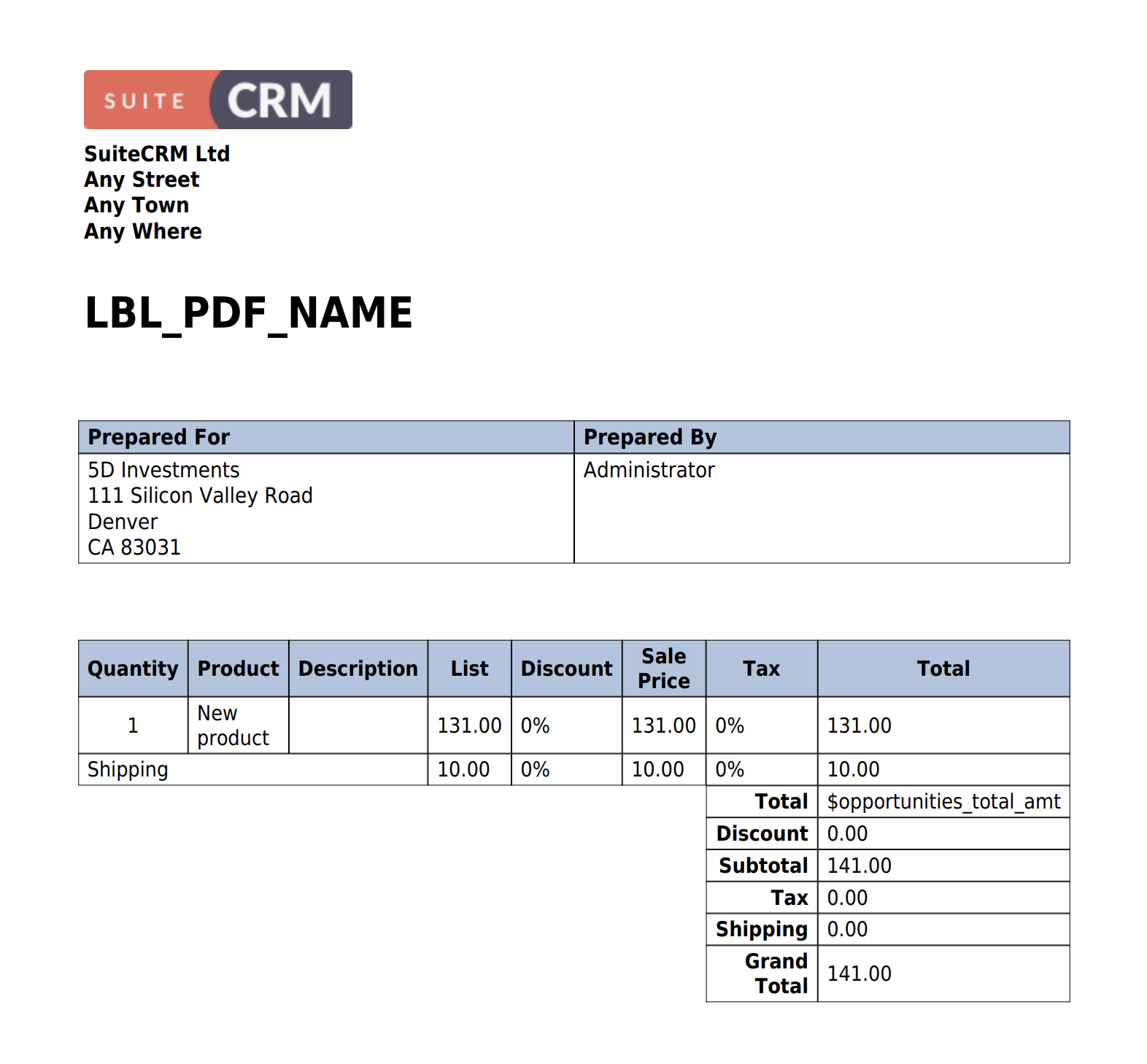
- Generate professional PDF proposals directly from the Opportunity record.
Key Capabilities & Features
- Integrated Product Selector: Search and insert items directly from the SuiteCRM Product Catalog.
- Dynamic Pricing & Discounts: Apply fixed amount or percentage discounts per line item or globally.
- 1-Click Document Conversion: Transform closed-won opportunities into Quotes or Invoices instantly.
- PDF Proposal Generation: Export itemized opportunity sheets into customizable branded PDF templates.
Popular Business Use Cases
- B2B sales teams quoting complex multi-product software packages on deals.
- Service companies itemizing labor hours and hardware parts on proposals.
- Sales managers forecasting product revenue breakdown across the pipeline.
Enterprise Grade & Upgrade-Safe: Built strictly following SuiteCRM architecture standards. All modifications are stored safely in upgrade-resistant directories, ensuring smooth transitions across CRM version updates.
📸 Visual Walkthrough & Interface Preview
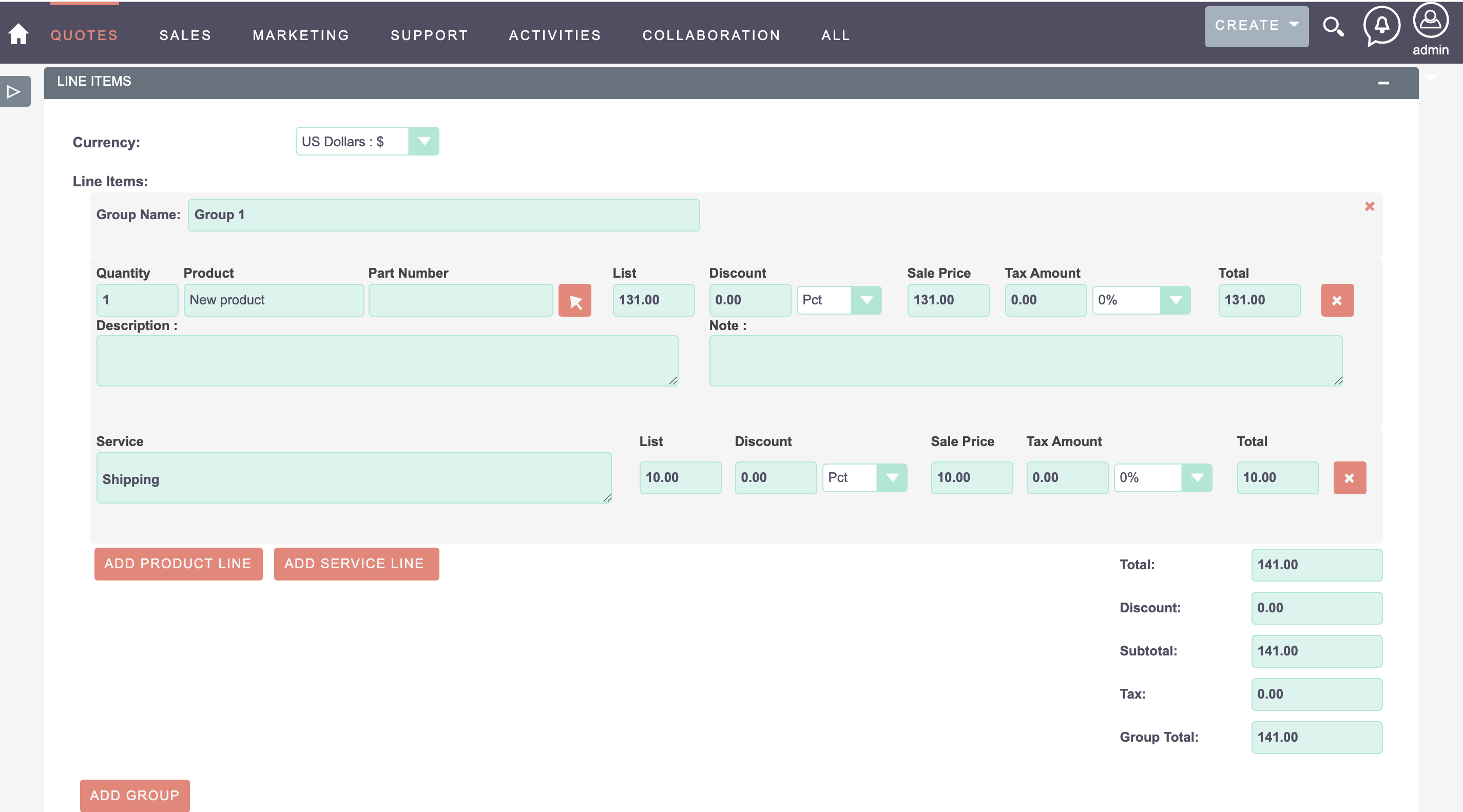
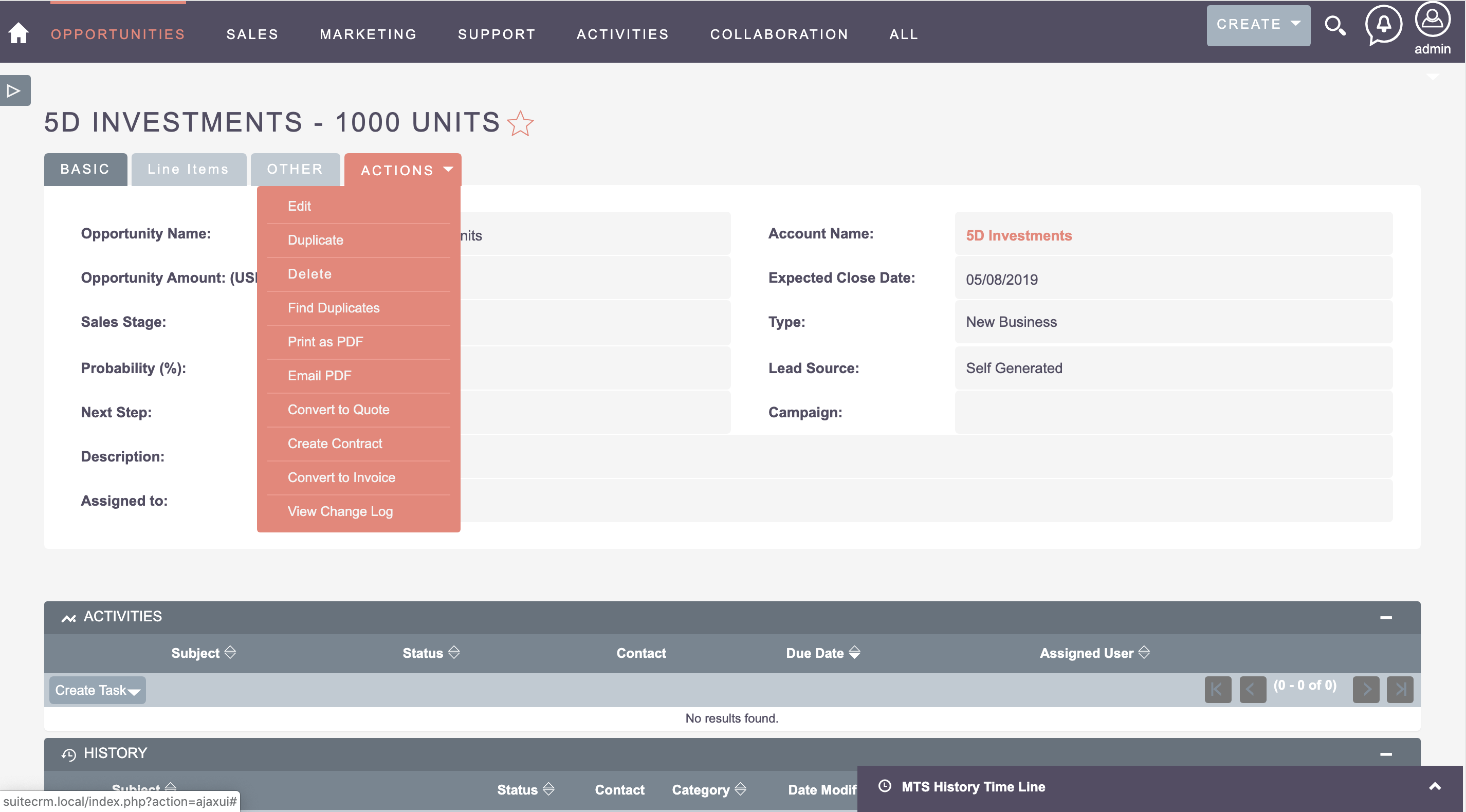
Take a visual tour of MTS Opportunity Line Items features, intuitive layouts, and configuration options inside SuiteCRM:
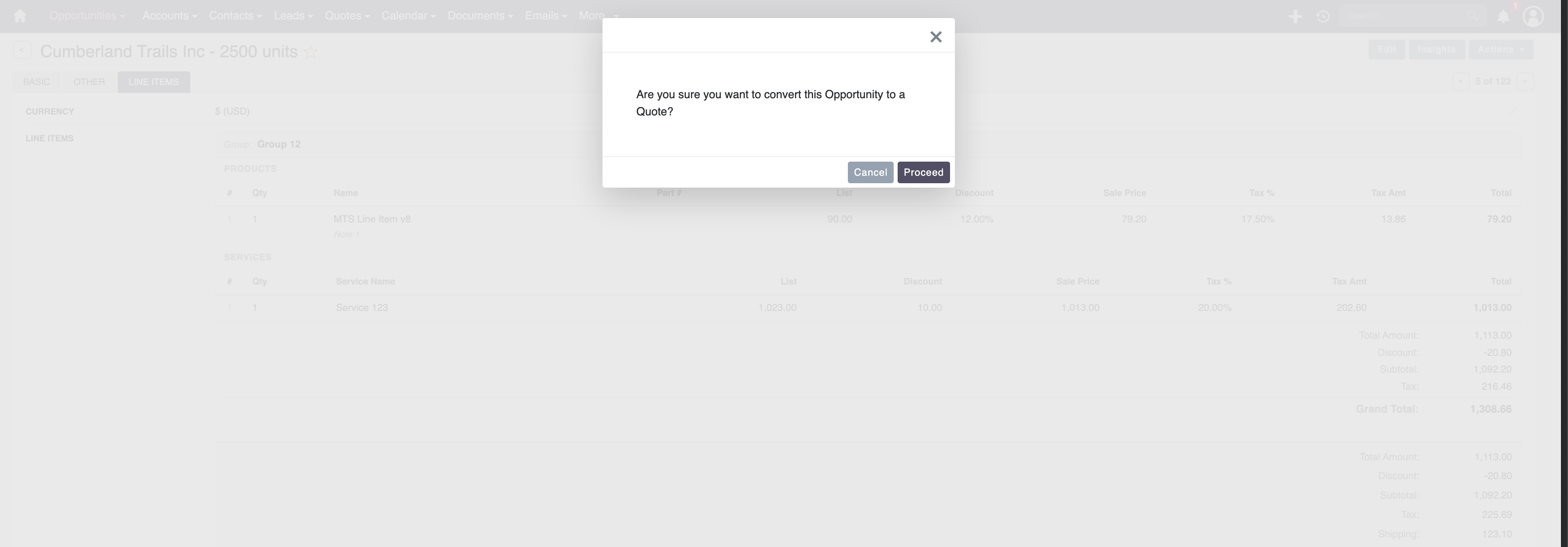
Feature Breakdown for MTS Opportunity Line Items
Explore the core functionality, productivity tools, and administrative capabilities included with this plugin.
Integrated Product Selector
Search and insert items directly from the SuiteCRM Product Catalog.Dynamic Pricing & Discounts
Apply fixed amount or percentage discounts per line item or globally.1-Click Document Conversion
Transform closed-won opportunities into Quotes or Invoices instantly.PDF Proposal Generation
Export itemized opportunity sheets into customizable branded PDF templates.MTS Opportunity Line Items - Documentation & Setup Guide
1. Prerequisites & System Requirements
- CRM Compatibility: SuiteCRM 7.10 - 7.14 and SuiteCRM 8.0 - 8.7+
- PHP Version: PHP 7.4, 8.0, 8.1, 8.2, or 8.3
- Database: MySQL 5.7+ / MariaDB 10.3+
- Admin Privileges: Full SuiteCRM Administrator account required for installation.
2. Installation via Module Loader
- Download the installation package (
mts-lineitems.zip) from your Mien Trung Soft account. - Log in to your SuiteCRM dashboard as an Administrator.
- Navigate to Admin > Module Loader.
- Under Upload Installation Package, click Choose File and select
mts-lineitems.zip. - Click Upload.
- Once uploaded, locate the module in the list and click Install.
- Review and accept the license terms, then click Commit.
- After installation completes, navigate to Admin > Repair and run Quick Repair and Rebuild.
3. Configuration & Administration
Go to Admin > MTS Opportunity Line Items. Set up default tax rates, currency formatting, and PDF quote template bindings. Configure user role permissions under Admin > Role Management if you wish to restrict module access to specific teams or security groups.4. Troubleshooting & Support
- Assets not loading? Run Quick Repair and Rebuild and clear your browser cache (Ctrl+F5 or Cmd+Shift+R).
- Permission issues? Ensure correct file permissions on your SuiteCRM server (
chmod -R 755 custom/ modules/). - Need technical assistance? Contact our dedicated support team via your Mien Trung Soft portal or email us with your CRM error logs.
Is MTS Opportunity Line Items compatible with SuiteCRM 7 and 8?
Does this plugin modify core SuiteCRM files?
Can I install this on development or staging instances?
What is included with technical support?
How do I receive plugin updates?
Related SuiteCRM Plugins
MTS Tag Field | Advanced Color Tags for SuiteCRM
Organize your CRM records instantly. Add visual, searchable, color-coded tags to any module for rapid categorization and filtering.
MTS Dynamic Target List | Automated SuiteCRM Segmentation
Automate your SuiteCRM marketing campaigns. Dynamically populate target lists based on live conditions, custom fields, and real-time CRM data.

MTS Advanced Invoice
Turn SuiteCRM into an enterprise billing powerhouse with multi-currency support, tax calculation, payment terms, and automated invoice delivery.
Request this plugin
We don't run automated checkout yet — every order goes through a short form so we can confirm your SuiteCRM version, license type, and send a secure payment link.