
MTS Dynamic Target List | Automated SuiteCRM Segmentation
Stop manually updating your email marketing lists. MTS Dynamic Target List continuously synchronizes your Target Lists based on advanced logical conditions, ensuring your marketing automation always hits the right audience.
Why Automate Your Target Lists?
- Set It and Forget It: Build your query once. As Leads and Contacts meet the criteria, they are automatically added or removed.
- Deep Query Builder: Filter by multiple modules, custom fields, date ranges, and relational data.
- Zero Marketing Leakage: Eliminate human error. When a Lead unsubscribes or changes status, they instantly drop off the list.
- Massive Time Savings: Free your sales operations team from weekly CSV exports and manual target list syncs.
📸 Visual Walkthrough & Interface Preview
Take a visual tour of the features and settings:
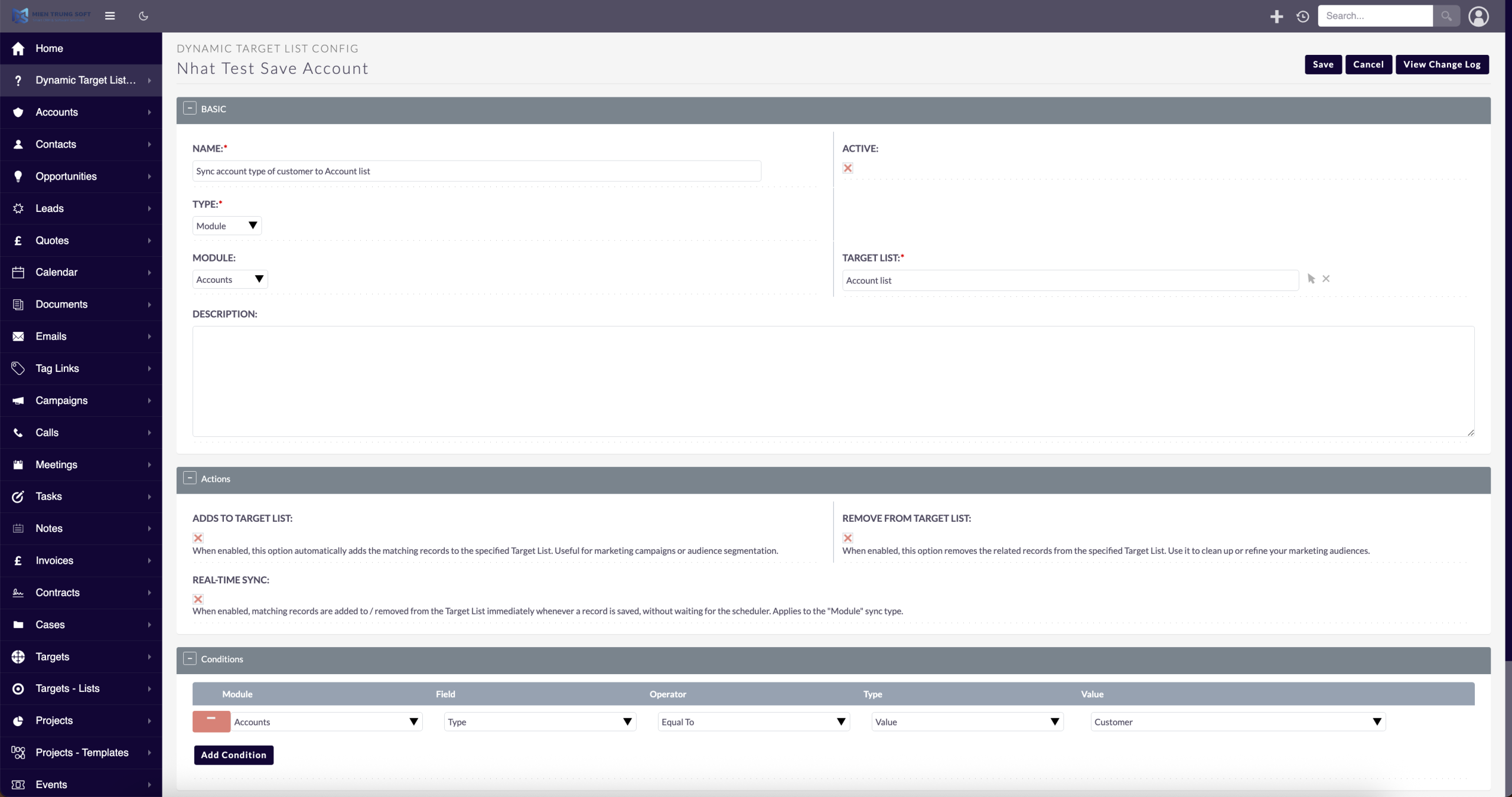
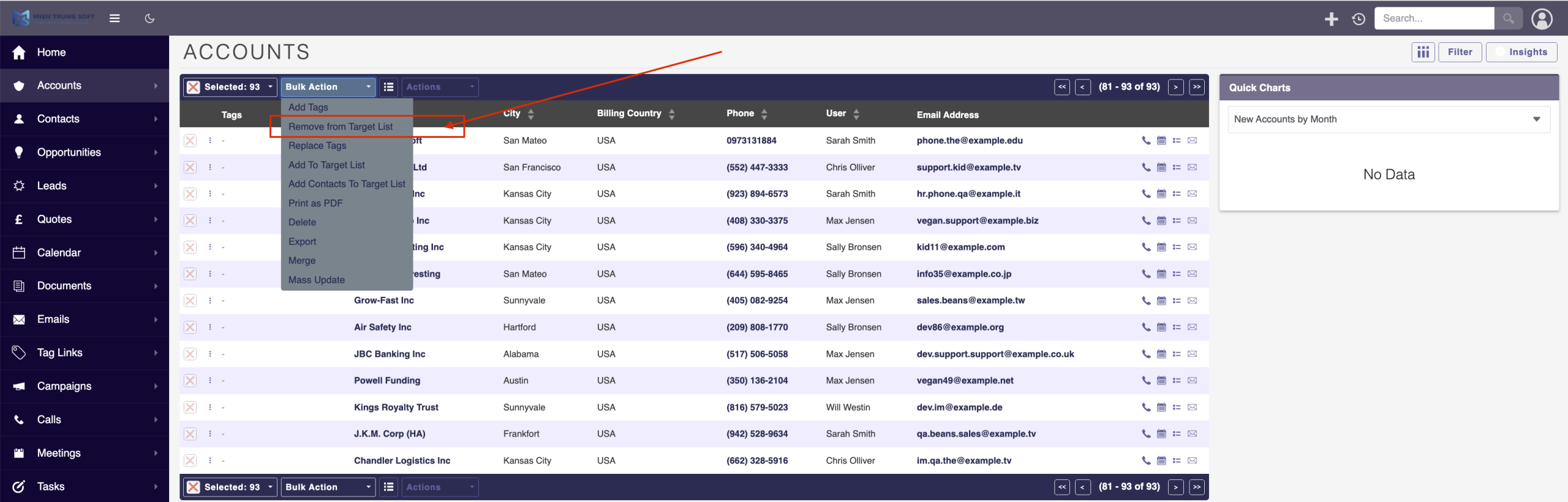
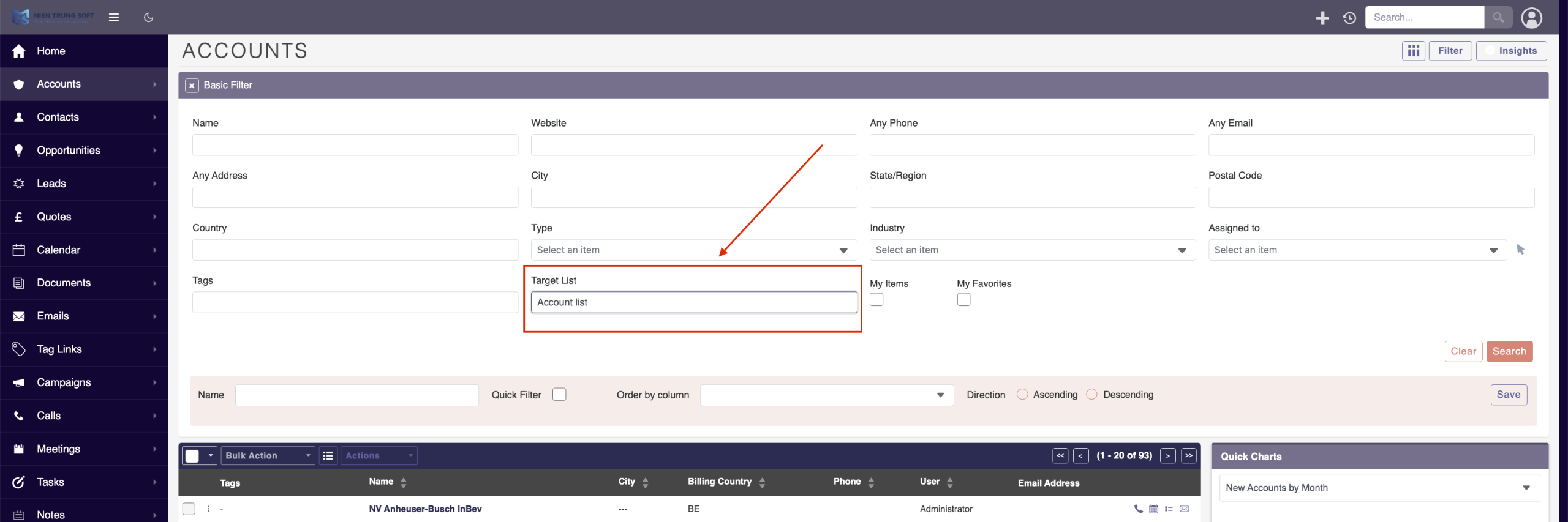
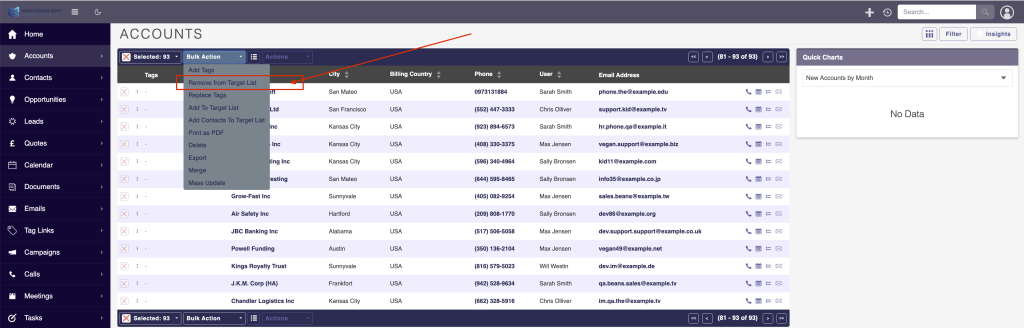
Advanced automation capabilities for data-driven marketing:
Live Condition Engine
Define dynamic rules (e.g., "Industry = Tech" AND "Last Activity > 30 Days") using an intuitive visual condition builder.
Scheduled Cron Sync
Runs silently in the background via SuiteCRM Scheduler to continuously validate and update your target populations.
Cross-Module Compatibility
Target Accounts, Contacts, Leads, Users, and custom modules simultaneously.
Installation & Setup Guide
Automate your SuiteCRM marketing segments with MTS Dynamic Target List.
1. System Requirements
- SuiteCRM: Version 7.x or 8.x
- Cron Jobs: Must be properly configured on your server for SuiteCRM Schedulers to run.
2. How to Install
- Log into SuiteCRM as an Administrator.
- Navigate to Admin > Module Loader.
- Upload the plugin ZIP file and click Install.
- Run a Quick Repair and Rebuild.
3. Creating a Dynamic List
Once installed, a new "Dynamic Conditions" panel will appear inside standard Target Lists.
- Create a new Target List and set its type to "Dynamic".
- Use the Condition Builder to select your target module (e.g., Leads) and add filters (e.g., Status = "New").
- Save the Target List. The background Cron Job will automatically populate the targets within 15 minutes.
Troubleshooting: If your list remains empty, verify that your server's Cron daemon is executing the SuiteCRM `cron.php` file.
No changelog entries yet.
How often does the target list update?
Can I use custom fields in the dynamic conditions?
Does this integrate with SuiteCRM Email Campaigns?
Related SuiteCRM Plugins
SuiteCRM Group Layout: Custom Views per Security Group in SuiteCRM 8
Is your CRM cluttered with unnecessary fields, irrelevant tabs, or complex list columns that confuse your team? A generic interface rarely fits a growing organization. Sales representatives need quick access to lead stages, while managers require high-level reporting fields. Showing the exact same form layout to every department leads to data errors and lower CRM […]

MTS Record Score
Automatically calculate quality scores and letter grades (A/B/C/D) to help sales reps focus on their highest-converting opportunities.

MTS Kanban for SuiteCRM
MTS Kanban is a SuiteCRM Kanban board plugin — drag-and-drop cards across stages on Opportunities, Leads, Cases & custom modules in SuiteCRM 7 & 8. Try it today.
Request this plugin
We don't run automated checkout yet — every order goes through a short form so we can confirm your SuiteCRM version, license type, and send a secure payment link.