
MTS Kanban for SuiteCRM
What is SuiteCRM Kanban?
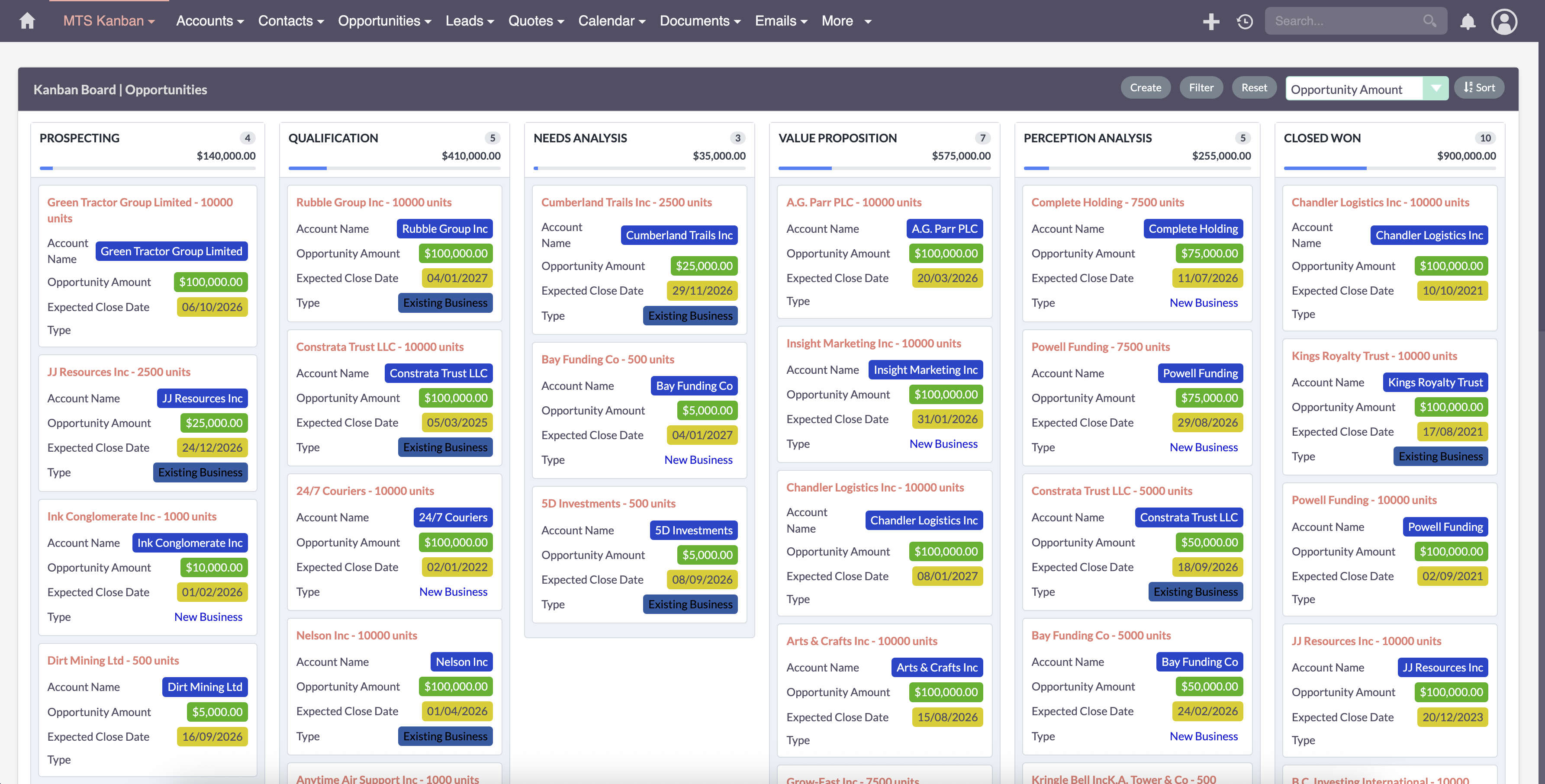
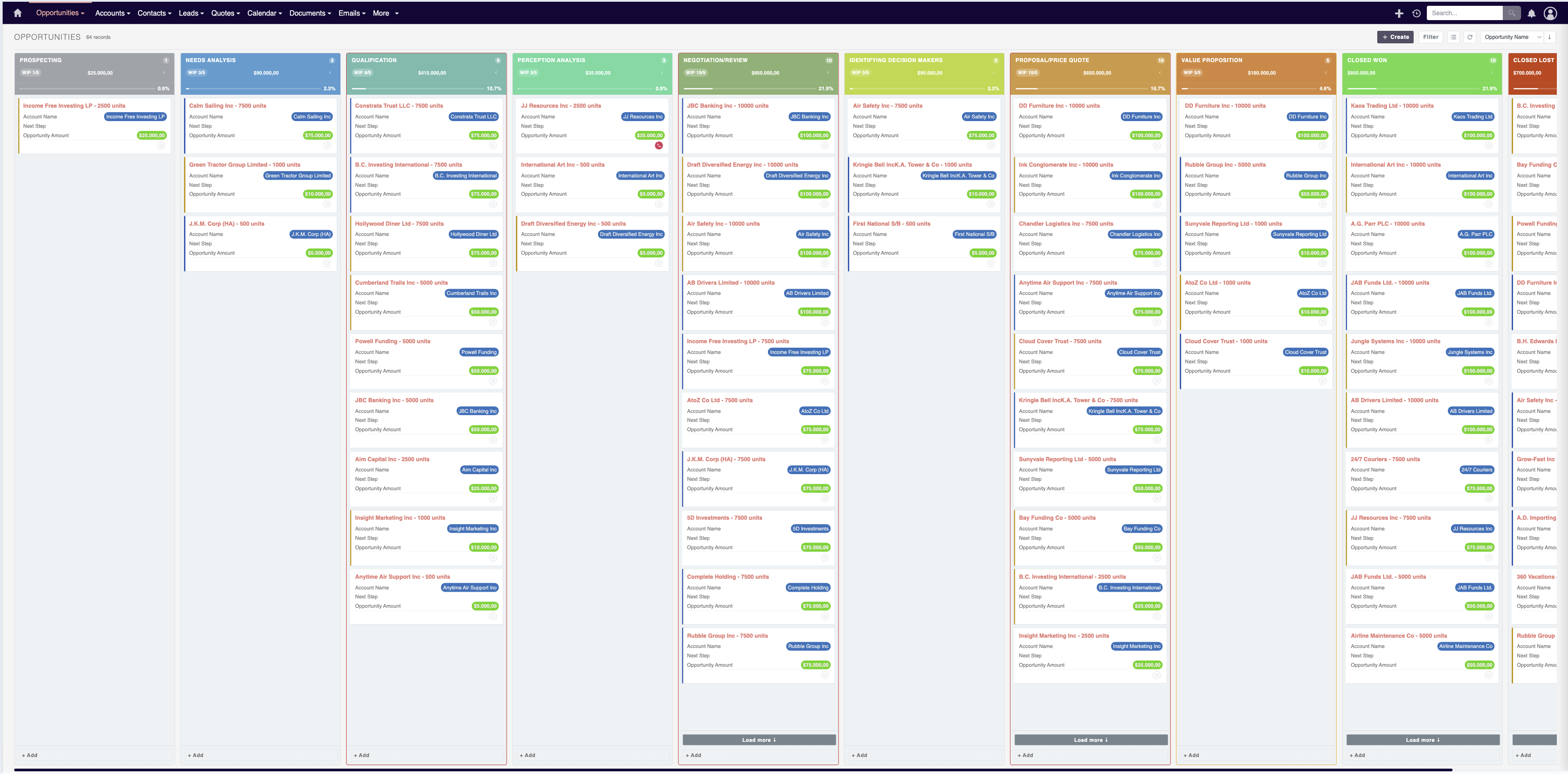
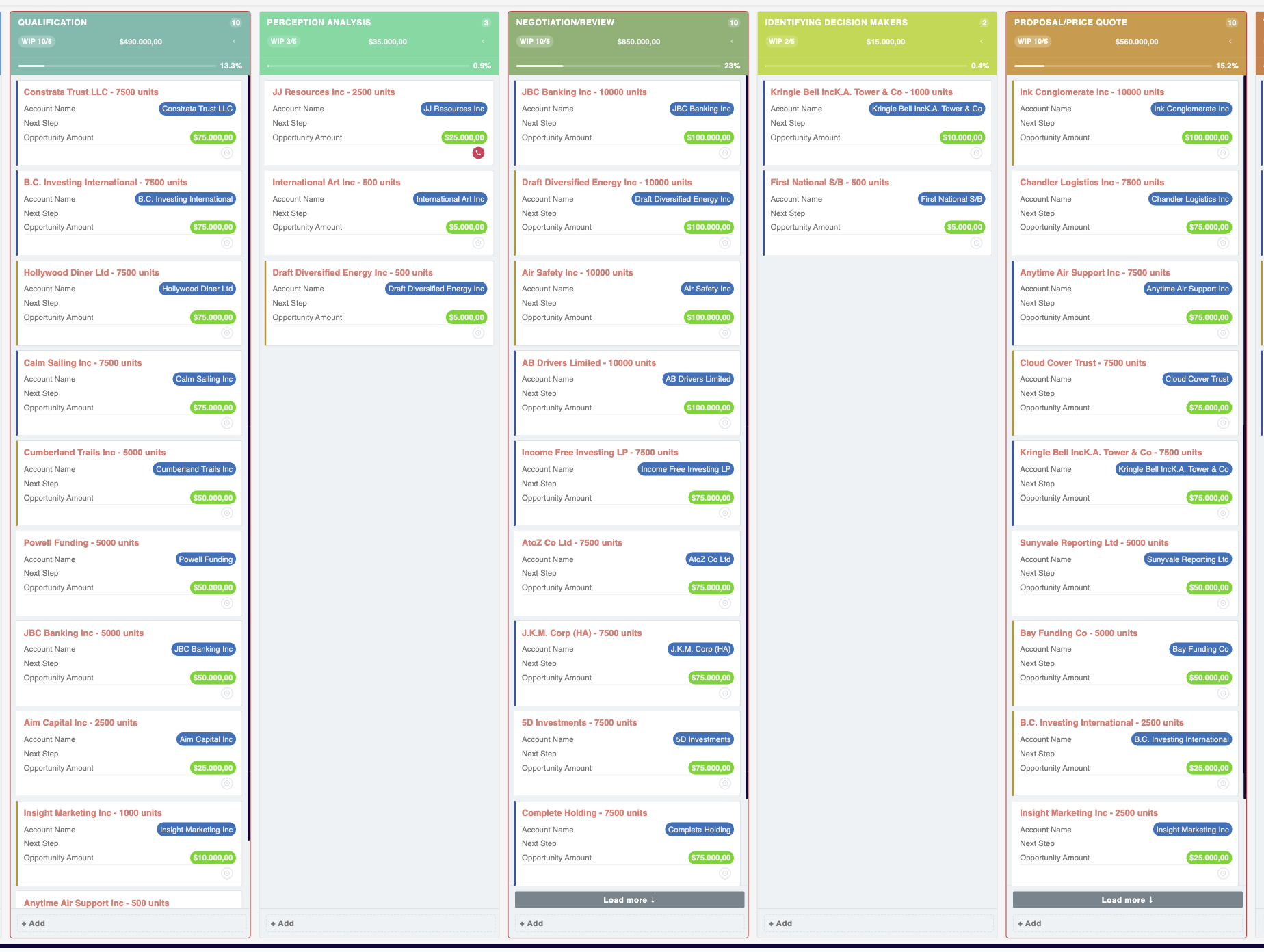
SuiteCRM Kanban is a drag-and-drop board view for SuiteCRM. The MTS Kanban for SuiteCRM plugin turns standard list views into an interactive SuiteCRM Kanban board, so you can move Opportunities, Leads, Cases, Tasks and custom-module records between stages and update their status and revenue totals in real time — on both SuiteCRM 7 and SuiteCRM 8.
How does the SuiteCRM Kanban plugin work?
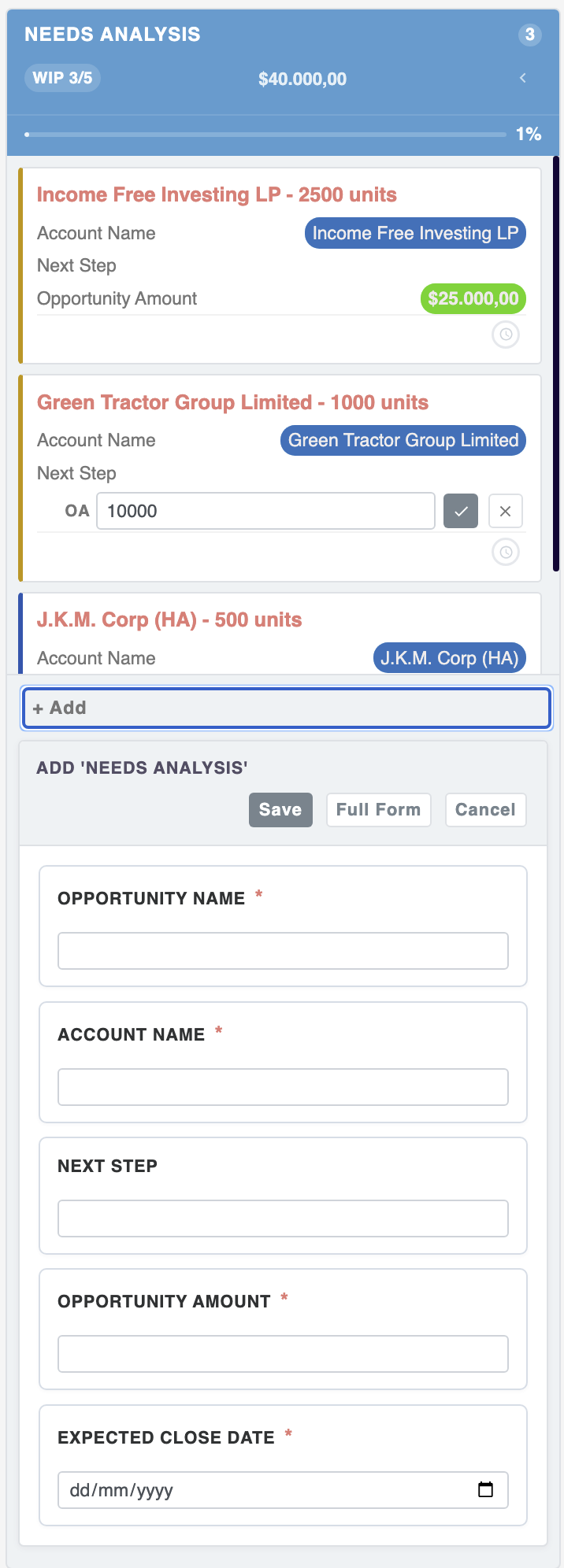
Each column is a stage of your pipeline or workflow. Drag a card to another column and the SuiteCRM Kanban plugin instantly saves the new status, recalculates totals and keeps your data in sync — no page reloads and no coding.
Interactive Drag-and-Drop Kanban Board for Opportunities, Leads & Tasks
Transform static list views into a dynamic visual workflow board — drag cards between stages to update statuses and revenue totals in real time.
Why Choose MTS Kanban for SuiteCRM?
- Visualize your entire sales pipeline and stage distribution at a single glance.
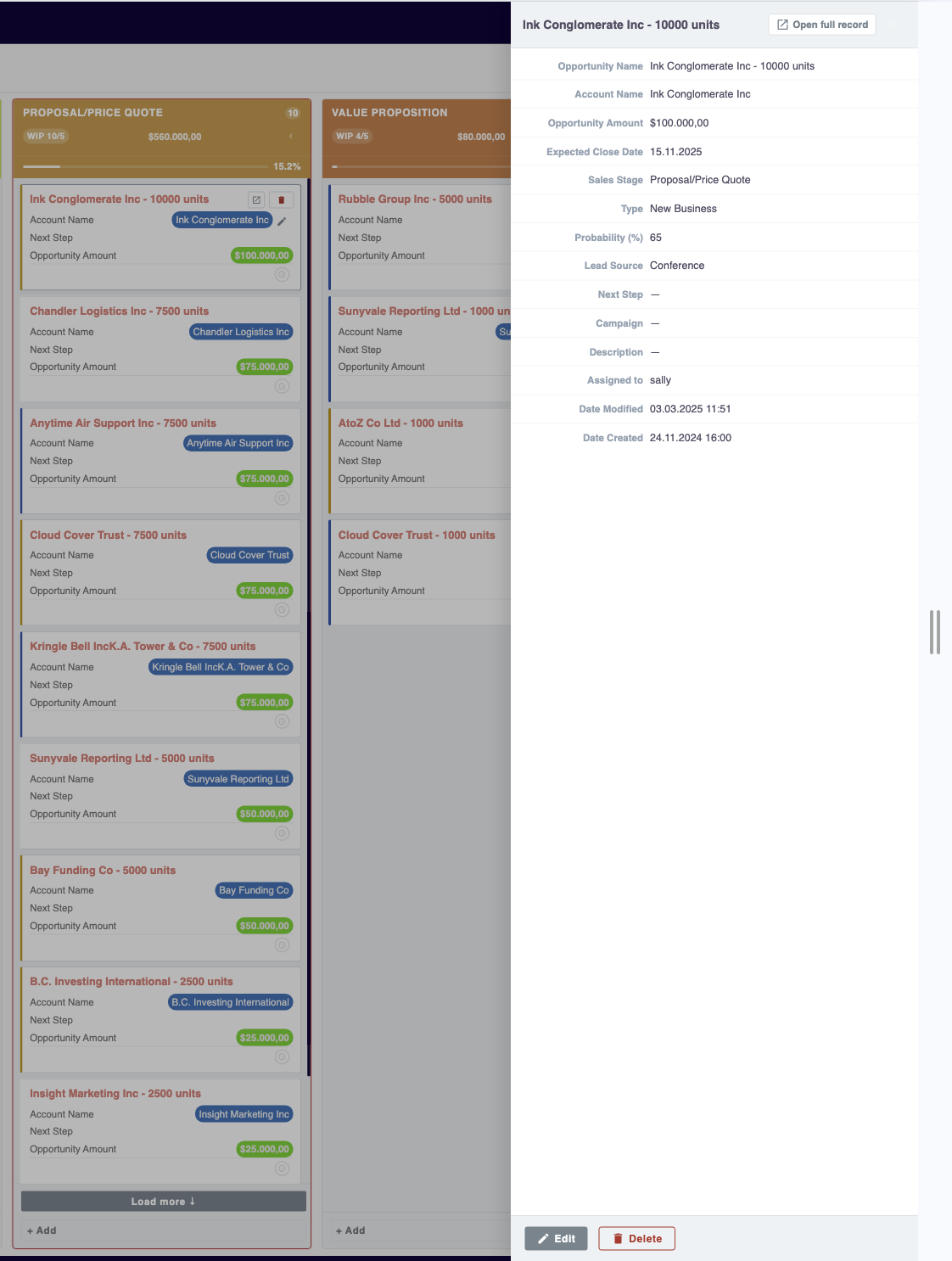
- Drag-and-drop cards between columns to instantly update CRM record stages and probabilities.
- Live column headers calculate total deal value and record counts dynamically.
- Works across Opportunities, Leads, Tasks, Cases, Projects, and custom modules.
Key Capabilities & Features
- Fluid Drag-and-Drop Interface: Ultra-responsive card dragging with smooth physics and instant AJAX persistence.
- Multi-Module Support: Switch between Opportunities, Leads, Cases, Tasks, or custom modules seamlessly.
- Custom Column Grouping: Group columns by Stage, Status, Priority, Assigned User, or custom dropdowns.
- Quick Filter Bar: Filter board cards by assigned sales rep, expected close date, or revenue size.
Popular Business Use Cases
- Weekly sales pipeline reviews with interactive stage-by-stage deal tracking.
- Support teams managing ticket workflows across New, In-Progress, and Resolved lanes.
- Project managers tracking task deliverables across agile sprints.
Enterprise Grade & Upgrade-Safe: Built strictly following SuiteCRM architecture standards. All modifications are stored safely in upgrade-resistant directories, ensuring smooth transitions across CRM version updates.
📸 Visual Walkthrough & Interface Preview
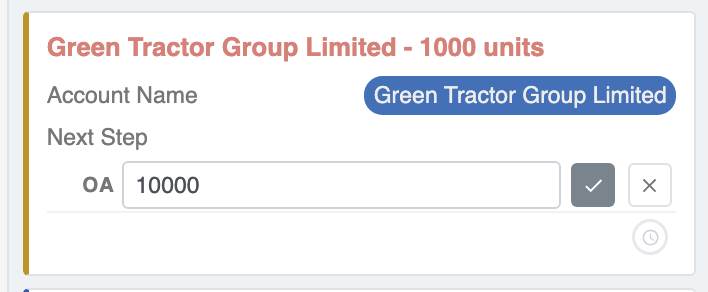
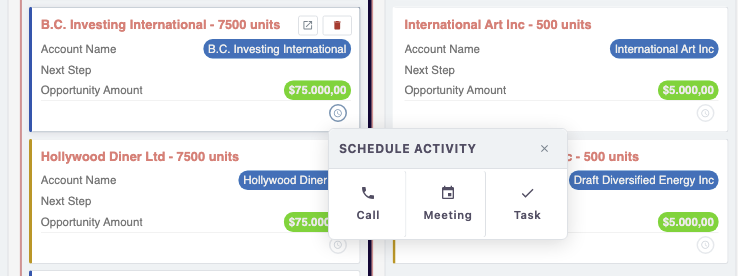
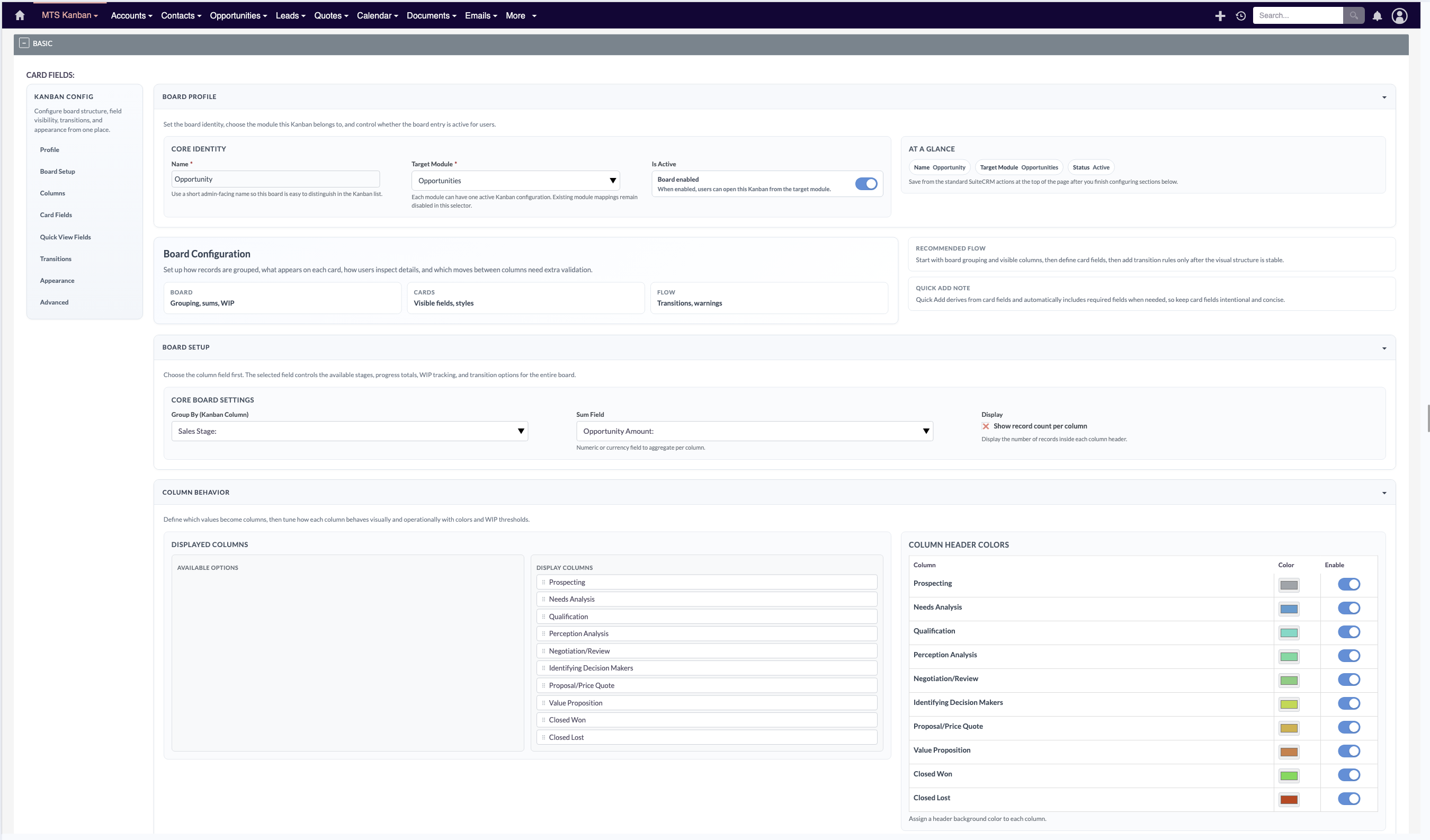
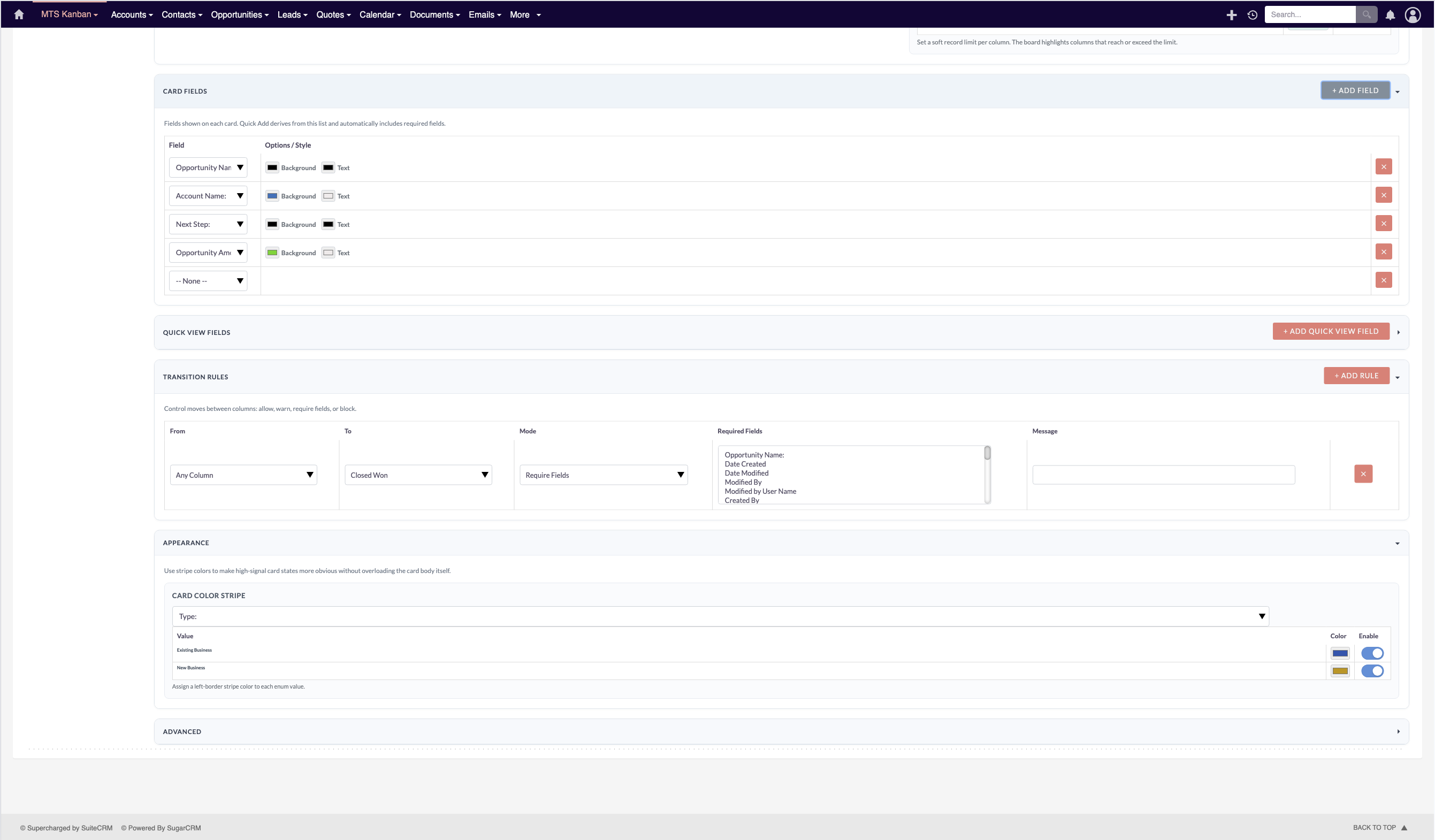
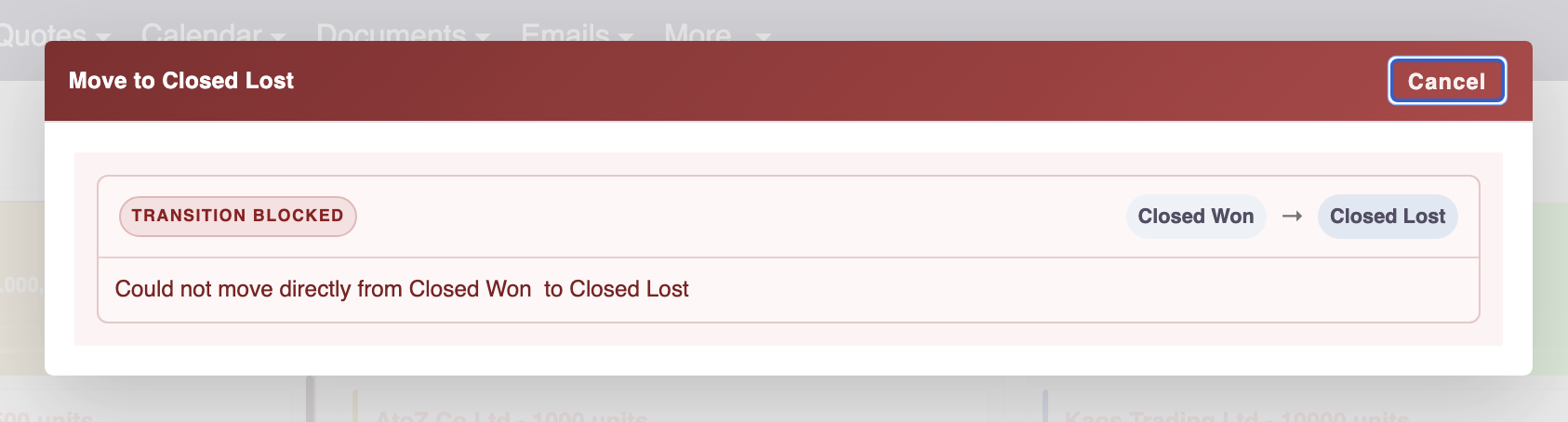
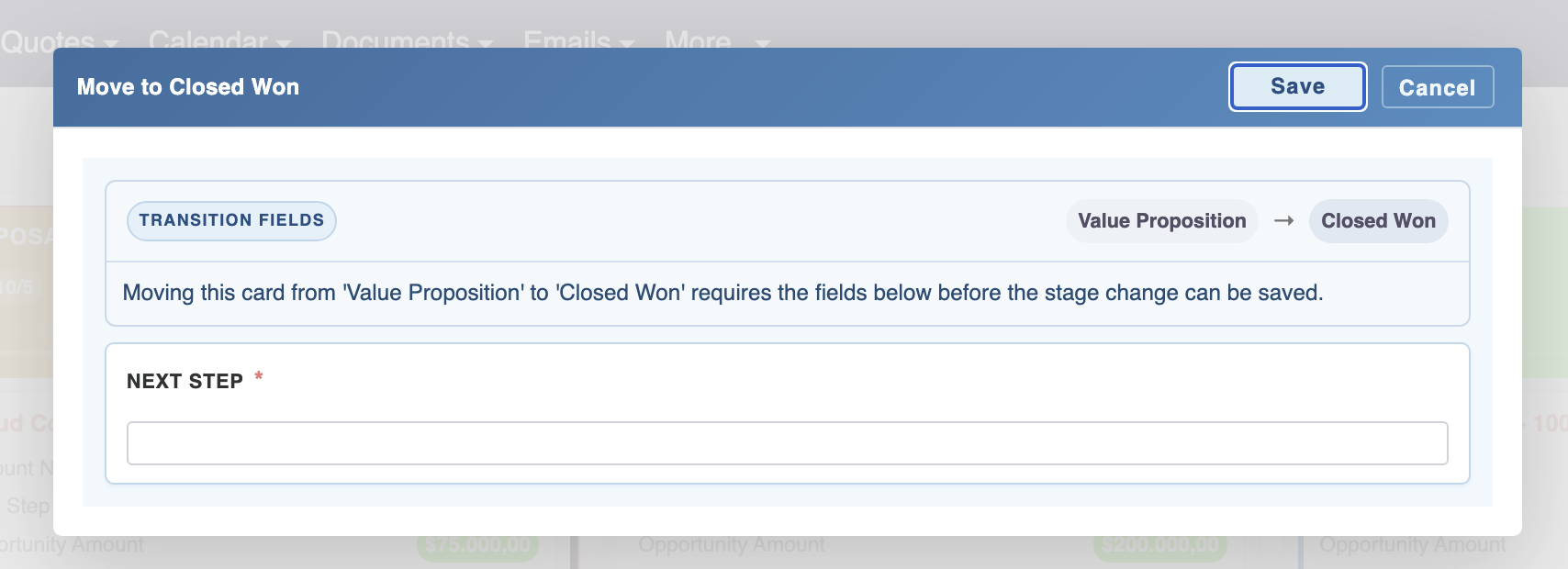
Take a visual tour of MTS Kanban for SuiteCRM features, intuitive layouts, and configuration options inside SuiteCRM:
Feature Breakdown for MTS Kanban for SuiteCRM
Explore the core functionality, productivity tools, and administrative capabilities included with this plugin.
Fluid Drag-and-Drop Interface
Ultra-responsive card dragging with smooth physics and instant AJAX persistence.Multi-Module Support
Switch between Opportunities, Leads, Cases, Tasks, or custom modules seamlessly.Custom Column Grouping
Group columns by Stage, Status, Priority, Assigned User, or custom dropdowns.Quick Filter Bar
Filter board cards by assigned sales rep, expected close date, or revenue size.MTS Kanban for SuiteCRM - Documentation & Setup Guide
1. Prerequisites & System Requirements
- CRM Compatibility: SuiteCRM 7.10 - 7.14 and SuiteCRM 8.0 - 8.7+
- PHP Version: PHP 7.4, 8.0, 8.1, 8.2, or 8.3
- Database: MySQL 5.7+ / MariaDB 10.3+
- Admin Privileges: Full SuiteCRM Administrator account required for installation.
2. Installation via Module Loader
- Download the installation package (
mts-kanban.zip) from your Mien Trung Soft account. - Log in to your SuiteCRM dashboard as an Administrator.
- Navigate to Admin > Module Loader.
- Under Upload Installation Package, click Choose File and select
mts-kanban.zip. - Click Upload.
- Once uploaded, locate the module in the list and click Install.
- Review and accept the license terms, then click Commit.
- After installation completes, navigate to Admin > Repair and run Quick Repair and Rebuild.
3. Configuration & Administration
Navigate to Admin > MTS Kanban Settings. Select which modules have Kanban boards enabled and configure default stage column order. Configure user role permissions under Admin > Role Management if you wish to restrict module access to specific teams or security groups.4. Troubleshooting & Support
- Assets not loading? Run Quick Repair and Rebuild and clear your browser cache (Ctrl+F5 or Cmd+Shift+R).
- Permission issues? Ensure correct file permissions on your SuiteCRM server (
chmod -R 755 custom/ modules/). - Need technical assistance? Contact our dedicated support team via your Mien Trung Soft portal or email us with your CRM error logs.
What is SuiteCRM Kanban?
Does the SuiteCRM Kanban plugin work with SuiteCRM 7 and 8?
Is MTS Kanban for SuiteCRM compatible with SuiteCRM 7 and 8?
Does this plugin modify core SuiteCRM files?
Can I install this on development or staging instances?
What is included with technical support?
How do I receive plugin updates?
Related SuiteCRM Plugins
MTS Signature Field | Electronic Signatures for SuiteCRM
Capture legally binding digital signatures directly inside SuiteCRM on any device. Perfect for contracts, delivery receipts, and approvals.

MTS Advanced Invoice
Turn SuiteCRM into an enterprise billing powerhouse with multi-currency support, tax calculation, payment terms, and automated invoice delivery.

MTS Record Score
Automatically calculate quality scores and letter grades (A/B/C/D) to help sales reps focus on their highest-converting opportunities.
Request this plugin
We don't run automated checkout yet — every order goes through a short form so we can confirm your SuiteCRM version, license type, and send a secure payment link.