

MTS AI Email Writer
Generative AI Email Composer & Intelligent Sales Assistant for SuiteCRM
Draft personalized, high-converting sales emails, follow-ups, and support replies in seconds using OpenAI GPT and Google Gemini directly in your CRM.
Why Choose MTS AI Email Writer?
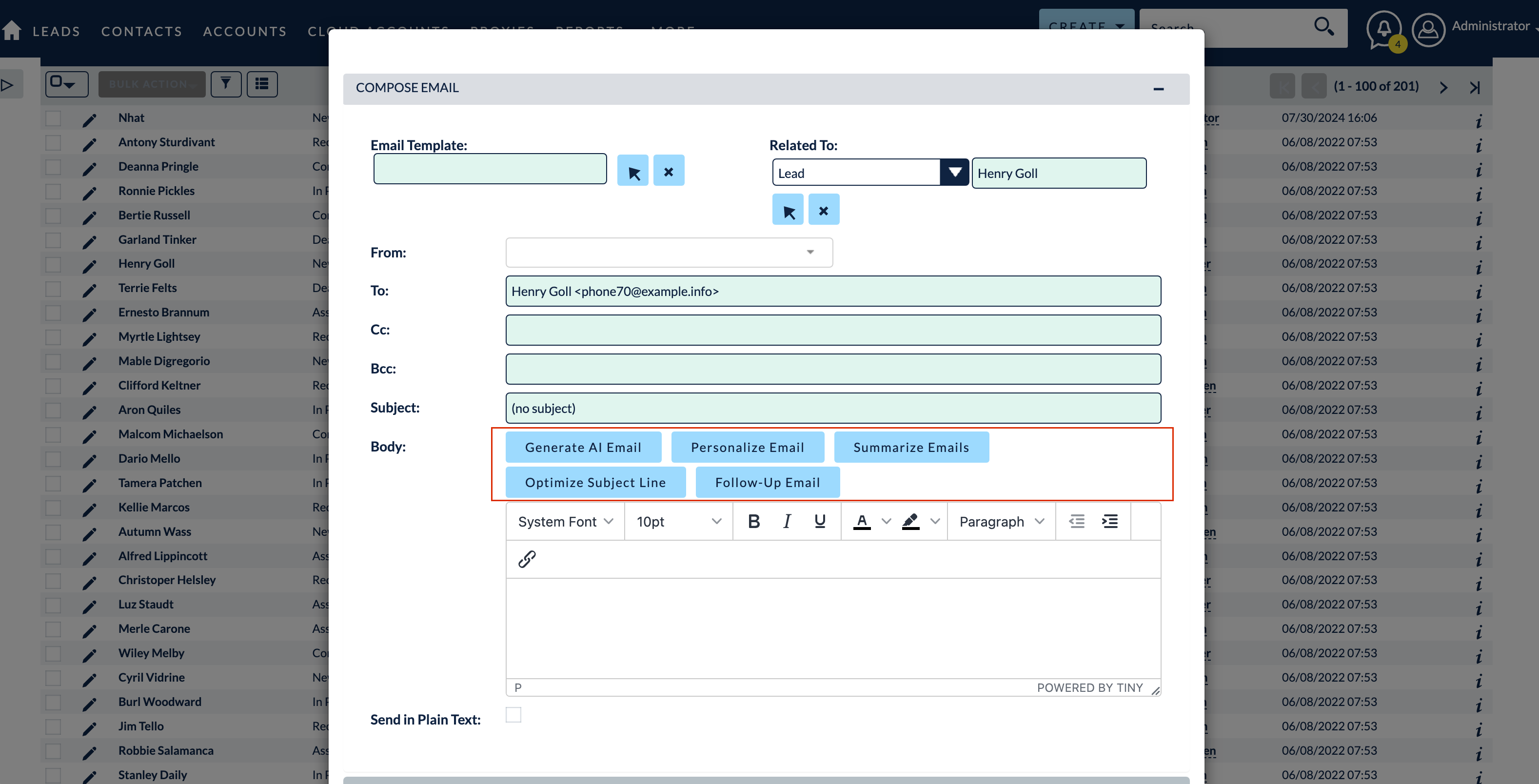
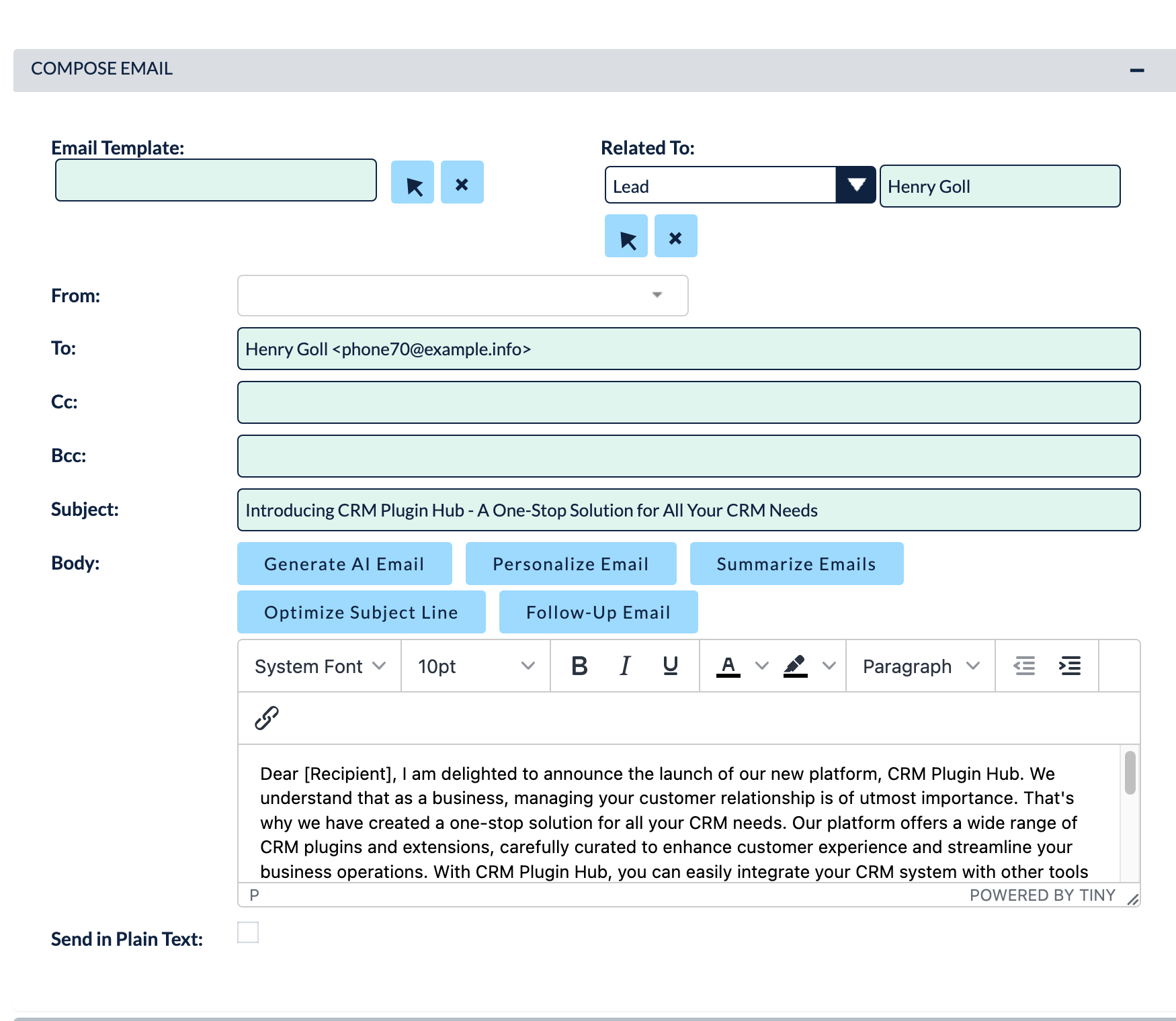
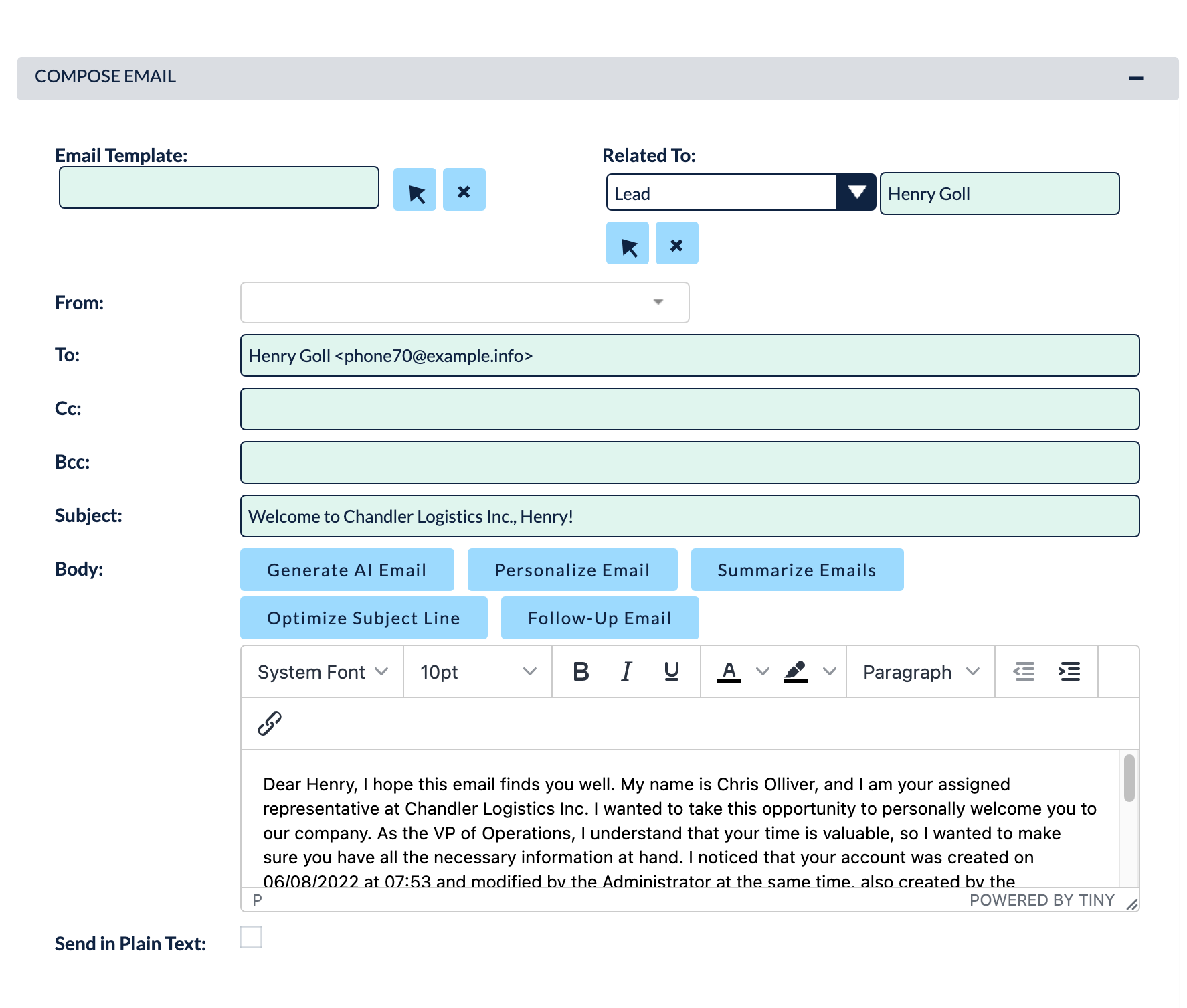
- Draft compelling, context-aware emails 10x faster directly from Lead and Contact records.
- Automatically injects CRM record context (name, company, deal size, recent notes) into AI prompts.
- Choose from pre-built sales templates: Cold Outreach, Follow-up, Meeting Request, Objection Handling.
- Adjust tone of voice (Professional, Friendly, Urgent, Concise) with a single click.
Key Capabilities & Features
- Multi-Model AI Support: Connect seamlessly to OpenAI (GPT-4o, GPT-4), Google Gemini, or Claude APIs.
- Context-Aware Personalization: Pulls CRM record fields automatically to craft hyper-relevant messages.
- Prompt Template Library: Save and share winning sales email prompts across your organization.
- 1-Click Tone & Length Adjustment: Instantly lengthen, summarize, or translate drafted emails before sending.
Popular Business Use Cases
- Sales development reps generating personalized cold outreach emails at scale.
- Account executives drafting tailored deal follow-ups after discovery calls.
- Customer support agents generating polite, thorough troubleshooting replies.
Enterprise Grade & Upgrade-Safe: Built strictly following SuiteCRM architecture standards. All modifications are stored safely in upgrade-resistant directories, ensuring smooth transitions across CRM version updates.
📸 Visual Walkthrough & Interface Preview
Take a visual tour of MTS AI Email Writer features, intuitive layouts, and configuration options inside SuiteCRM:
Feature Breakdown for MTS AI Email Writer
Explore the core functionality, productivity tools, and administrative capabilities included with this plugin.
Multi-Model AI Support
Connect seamlessly to OpenAI (GPT-4o, GPT-4), Google Gemini, or Claude APIs.
Context-Aware Personalization
Pulls CRM record fields automatically to craft hyper-relevant messages.
Prompt Template Library
Save and share winning sales email prompts across your organization.
1-Click Tone & Length Adjustment
Instantly lengthen, summarize, or translate drafted emails before sending.
MTS AI Email Writer - Documentation & Setup Guide
1. Prerequisites & System Requirements
- CRM Compatibility: SuiteCRM 7.10 - 7.14 and SuiteCRM 8.0 - 8.7+
- PHP Version: PHP 7.4, 8.0, 8.1, 8.2, or 8.3
- Database: MySQL 5.7+ / MariaDB 10.3+
- Admin Privileges: Full SuiteCRM Administrator account required for installation.
2. Installation via Module Loader
- Download the installation package (
mts-ai-email-writer.zip) from your Mien Trung Soft account. - Log in to your SuiteCRM dashboard as an Administrator.
- Navigate to Admin > Module Loader.
- Under Upload Installation Package, click Choose File and select
mts-ai-email-writer.zip. - Click Upload.
- Once uploaded, locate the module in the list and click Install.
- Review and accept the license terms, then click Commit.
- After installation completes, navigate to Admin > Repair and run Quick Repair and Rebuild.
3. Configuration & Administration
Go to Admin > MTS AI Email Writer. Enter your OpenAI or Gemini API Key, select your preferred default AI model, and customize prompt templates.
Configure user role permissions under Admin > Role Management if you wish to restrict module access to specific teams or security groups.
4. Troubleshooting & Support
- Assets not loading? Run Quick Repair and Rebuild and clear your browser cache (Ctrl+F5 or Cmd+Shift+R).
- Permission issues? Ensure correct file permissions on your SuiteCRM server (
chmod -R 755 custom/ modules/). - Need technical assistance? Contact our dedicated support team via your Mien Trung Soft portal or email us with your CRM error logs.
Is MTS AI Email Writer compatible with SuiteCRM 7 and 8?
Does this plugin modify core SuiteCRM files?
Can I install this on development or staging instances?
What is included with technical support?
How do I receive plugin updates?
Related SuiteCRM Plugins
MTS AI Case Assistant
Supercharge your customer service team with AI-driven ticket sentiment analysis, automated priority categorization, and intelligent reply generation.
MTS SuiteVoice Transcriber
Automatically transcribe meeting recordings, phone calls, and voice notes attached to CRM records into accurate text and executive summaries.

MTS Assistant
Access essential CRM tools, quick-create shortcuts, calculators, and recent records from an intelligent floating dock on any page.
Request this plugin
We don't run automated checkout yet — every order goes through a short form so we can confirm your SuiteCRM version, license type, and send a secure payment link.