

MTS Field Highlight
Dynamic Conditional Formatting & Color Alerts for Important CRM Fields
Draw immediate attention to VIP accounts, high-value deals, and critical statuses with customizable color badges and highlights.
Why Choose MTS Field Highlight?
- Highlight urgent records and key data points using dynamic conditional rules.
- Reduce data entry errors by emphasizing mandatory or time-sensitive fields.
- Custom background colors, borders, text colors, and icon badges.
- Works across Detail Views, Edit Views, and List Views.
Key Capabilities & Features
- Rule-Based Conditional Engine: Define highlight conditions based on field values, operators (=, !=, >, <, contains).
- Rich Styling Options: Select custom background colors, text colors, font weights, and alert badges.
- Multi-Module Support: Apply highlight rules to Leads, Contacts, Accounts, Opportunities, Cases, and custom modules.
- Studio Compatible: Seamlessly applies to custom fields created in SuiteCRM Studio.
Popular Business Use Cases
- Highlighting VIP customer tiers with a distinct gold badge across Accounts.
- Displaying high-priority SLA breaches in bold red across Support Cases.
- Emphasizing Opportunity amounts exceeding $50k in green to focus sales efforts.
Enterprise Grade & Upgrade-Safe: Built strictly following SuiteCRM architecture standards. All modifications are stored safely in upgrade-resistant directories, ensuring smooth transitions across CRM version updates.
📸 Visual Walkthrough & Interface Preview
Take a visual tour of MTS Field Highlight features, intuitive layouts, and configuration options inside SuiteCRM:
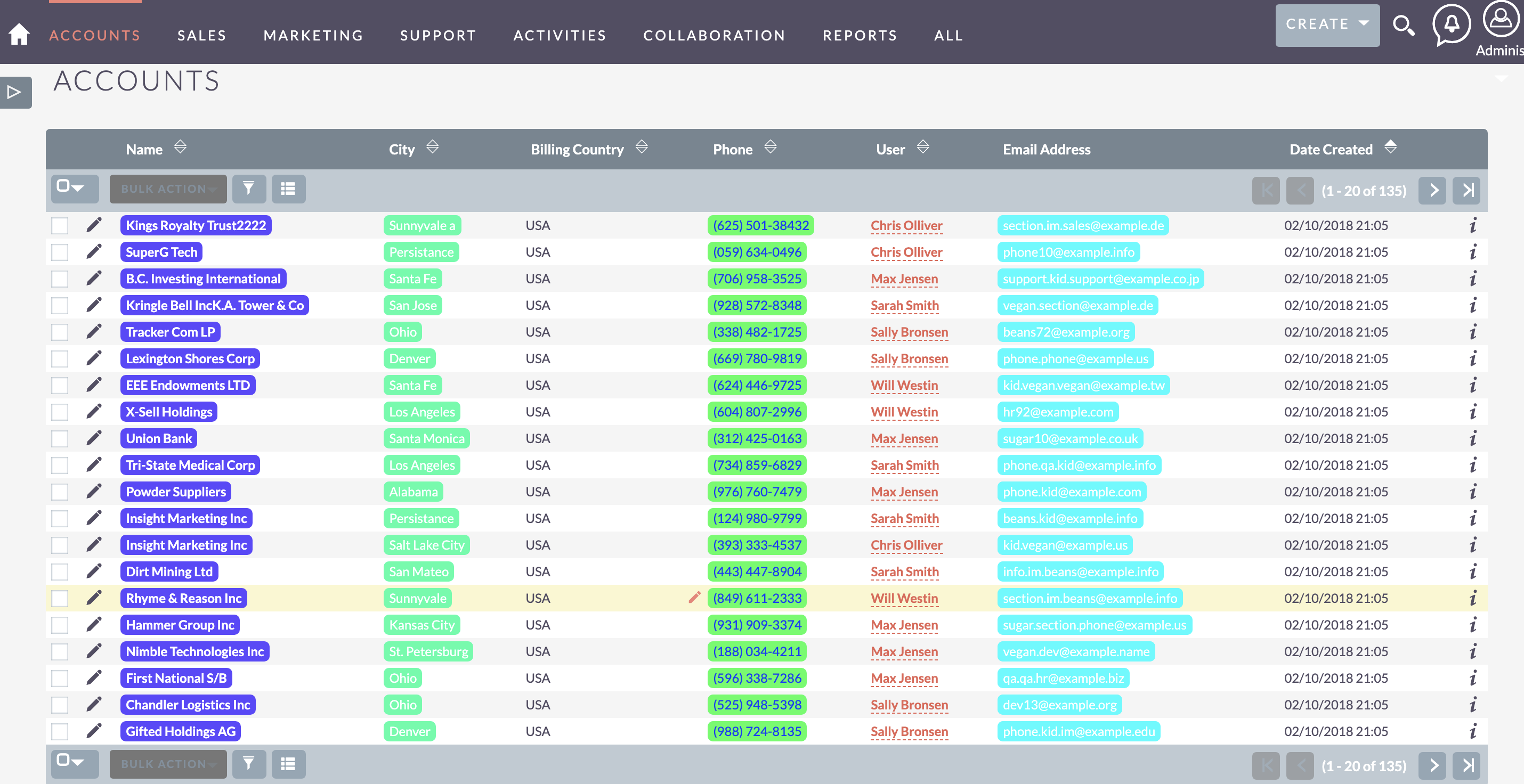
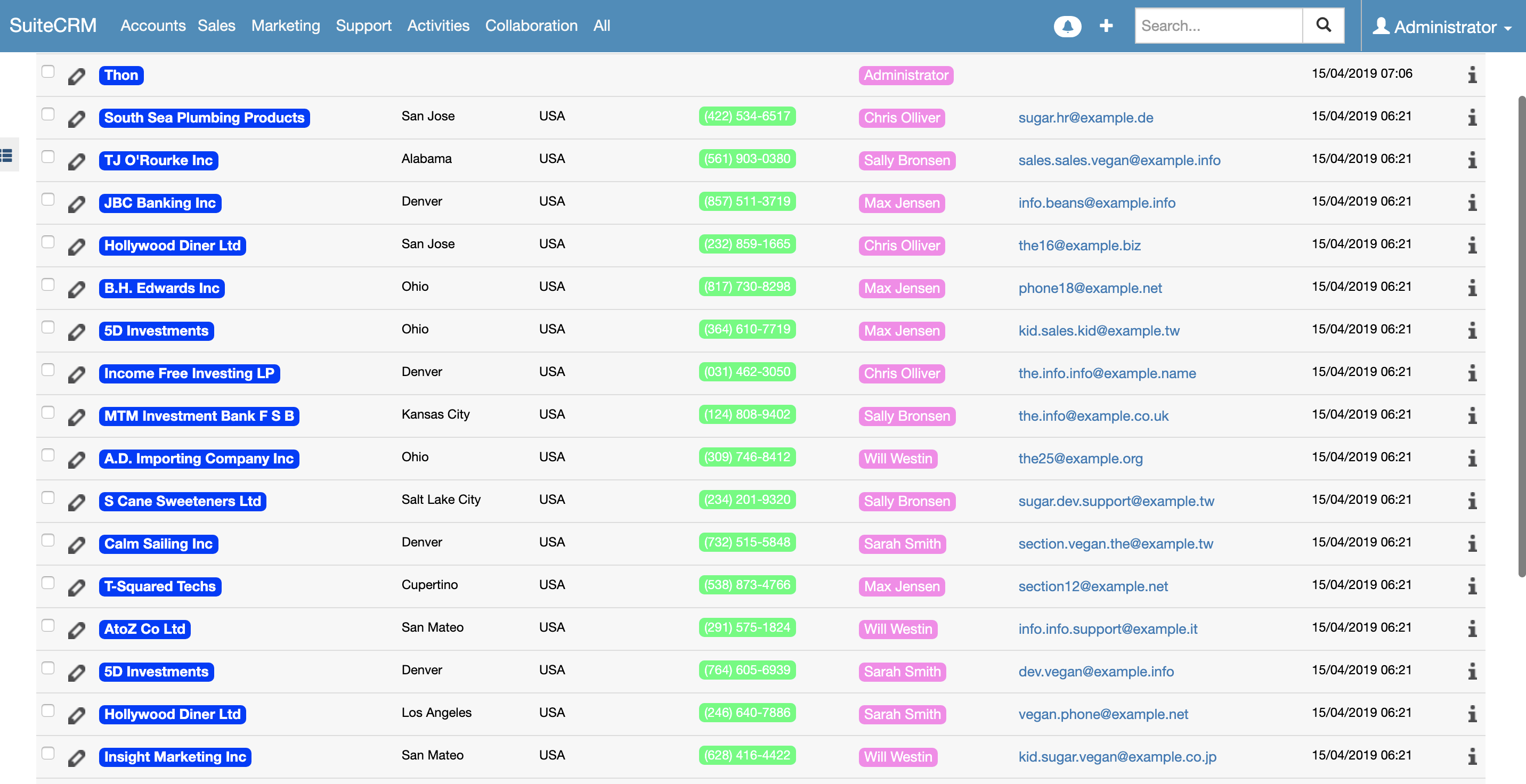
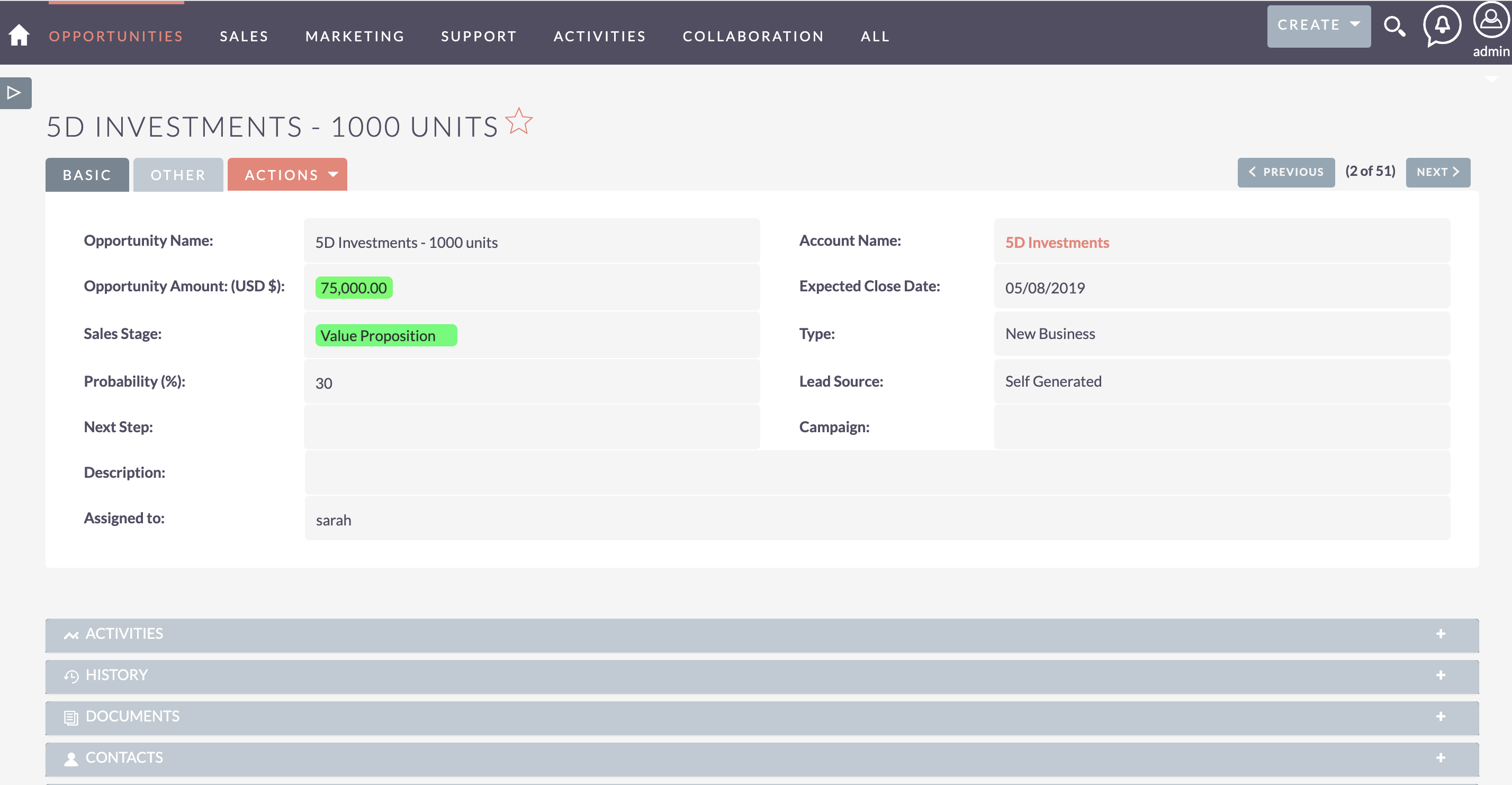
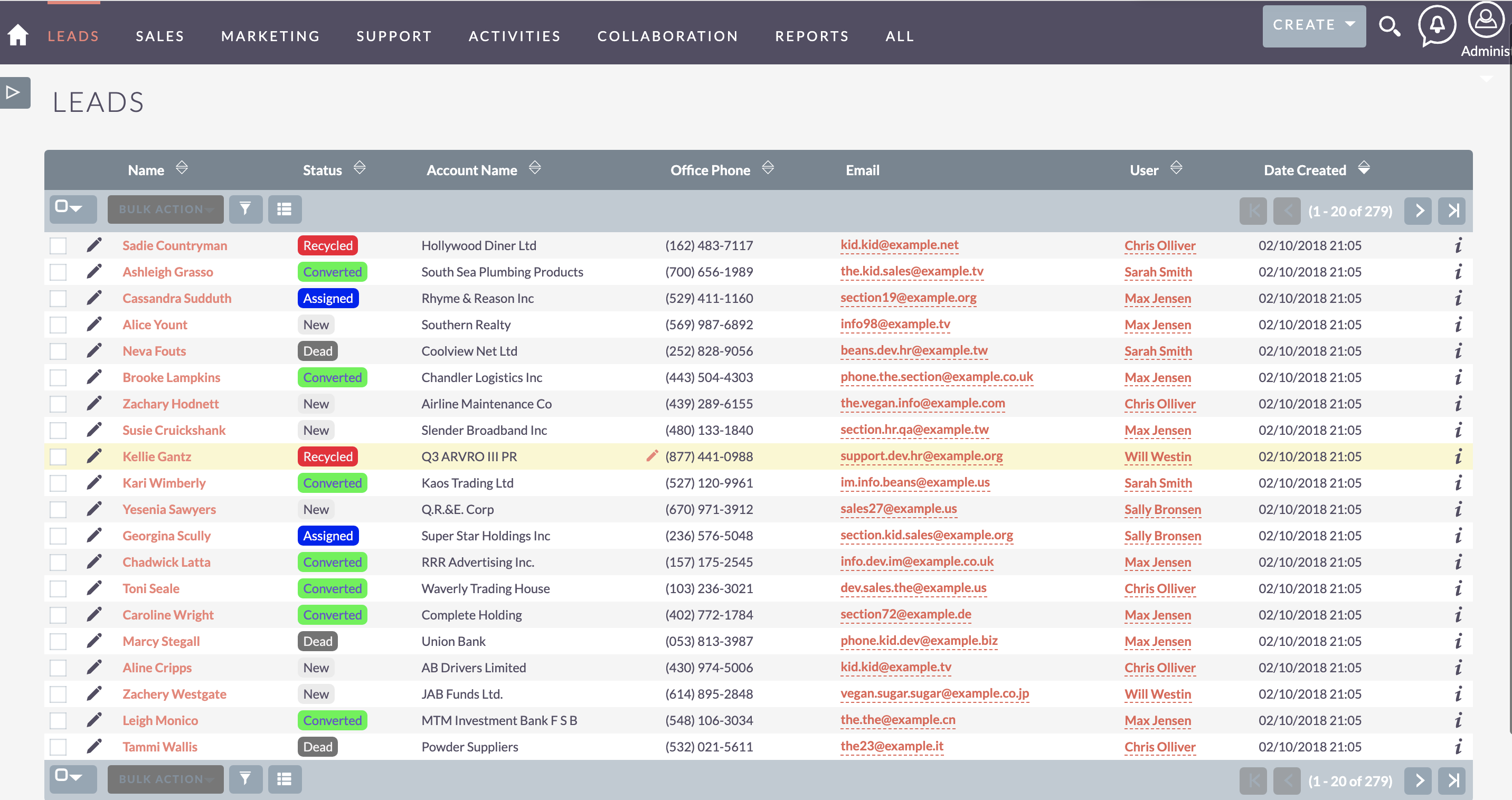
Feature Breakdown for MTS Field Highlight
Explore the core functionality, productivity tools, and administrative capabilities included with this plugin.
Rule-Based Conditional Engine
Define highlight conditions based on field values, operators (=, !=, >, <, contains).Rich Styling Options
Select custom background colors, text colors, font weights, and alert badges.Multi-Module Support
Apply highlight rules to Leads, Contacts, Accounts, Opportunities, Cases, and custom modules.Studio Compatible
Seamlessly applies to custom fields created in SuiteCRM Studio.MTS Field Highlight - Documentation & Setup Guide
1. Prerequisites & System Requirements
- CRM Compatibility: SuiteCRM 7.10 - 7.14 and SuiteCRM 8.0 - 8.7+
- PHP Version: PHP 7.4, 8.0, 8.1, 8.2, or 8.3
- Database: MySQL 5.7+ / MariaDB 10.3+
- Admin Privileges: Full SuiteCRM Administrator account required for installation.
2. Installation via Module Loader
- Download the installation package (
mts-field-highlight.zip) from your Mien Trung Soft account. - Log in to your SuiteCRM dashboard as an Administrator.
- Navigate to Admin > Module Loader.
- Under Upload Installation Package, click Choose File and select
mts-field-highlight.zip. - Click Upload.
- Once uploaded, locate the module in the list and click Install.
- Review and accept the license terms, then click Commit.
- After installation completes, navigate to Admin > Repair and run Quick Repair and Rebuild.
3. Configuration & Administration
Open Admin > MTS Field Highlight Rules. Click Add Rule, select the target module, choose the field and condition criteria, and pick your desired color palette. Configure user role permissions under Admin > Role Management if you wish to restrict module access to specific teams or security groups.4. Troubleshooting & Support
- Assets not loading? Run Quick Repair and Rebuild and clear your browser cache (Ctrl+F5 or Cmd+Shift+R).
- Permission issues? Ensure correct file permissions on your SuiteCRM server (
chmod -R 755 custom/ modules/). - Need technical assistance? Contact our dedicated support team via your Mien Trung Soft portal or email us with your CRM error logs.
Is MTS Field Highlight compatible with SuiteCRM 7 and 8?
Does this plugin modify core SuiteCRM files?
Can I install this on development or staging instances?
What is included with technical support?
How do I receive plugin updates?
Related SuiteCRM Plugins
MTS Signature Field | Electronic Signatures for SuiteCRM
Capture legally binding digital signatures directly inside SuiteCRM on any device. Perfect for contracts, delivery receipts, and approvals.

MTS Subpanel Toggle
Streamline lengthy CRM record views by collapsing inactive subpanels and auto-hiding empty sections per user preference.

MTS History Timeline
Transform scattered history records into a clean, chronological timeline widget across Leads, Contacts, Accounts, and Deals.
Request this plugin
We don't run automated checkout yet — every order goes through a short form so we can confirm your SuiteCRM version, license type, and send a secure payment link.